


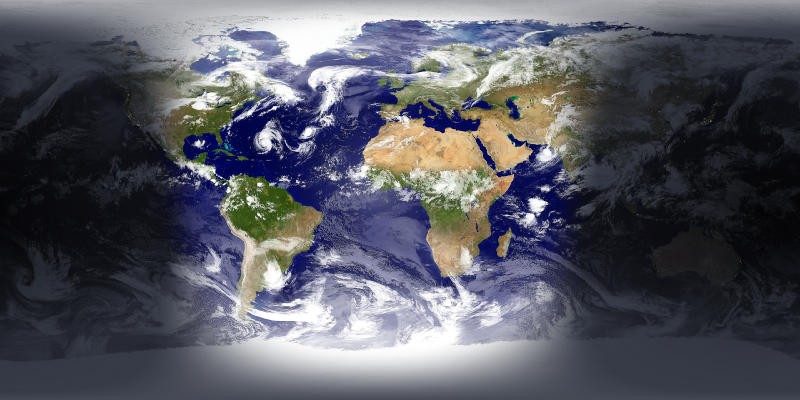
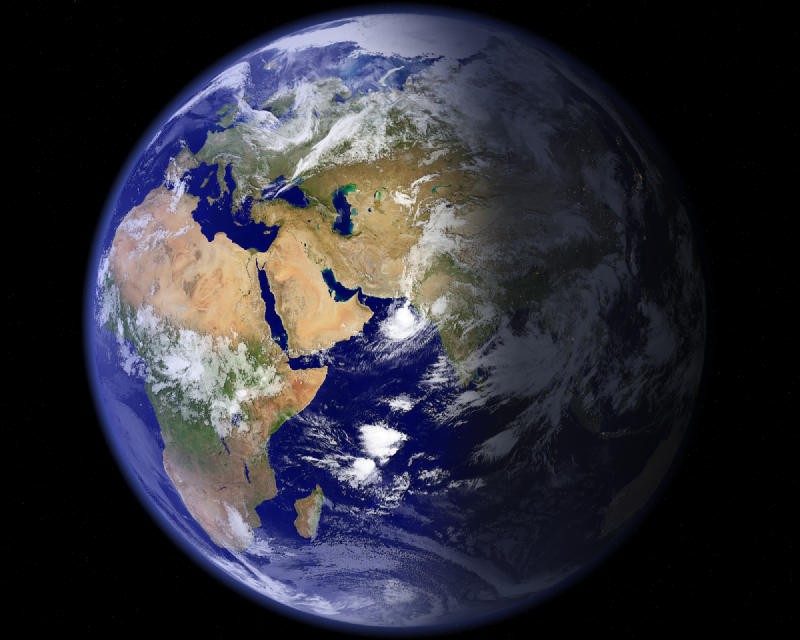
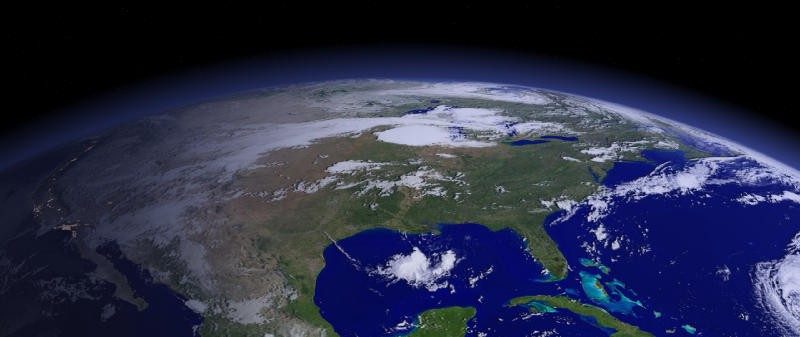
EarthView turns your computer into a window on Earth. It pulls high-resolution satellite data to render the Earth in real-time or simulated time. You will see live wallpapers and animated screensavers that show the day and night cycle. Shadows shift. Clouds form. At night, the city lights twinkle. Seasonal changes. This is more than just a pretty photo. It’s a live feed from space, right on your monitor.
This software is designed for home users and professionals. It offers detailed geographic layers. You can see the time zone. You can track weather patterns. The visuals are immersive. It feels real because it utilizes the latest video technology. Users can customize the map. Choose a zoom level. You can decide whether borders or cities are shown. These settings allow you to view the local time in major cities. You can see where the sun is. The position of the moon is also monitored. This appeals to geography enthusiasts. Useful for teachers. Enables visual and interactive learning.
Ease of use and user interface
Navigation is easy. The menu is organized logically. Using EarthView requires no technical skills. Even beginners can get started right away. Power users can tweak deep settings. Works well with one or more monitors. This is useful in offices or classrooms. You can set different views on different screens. The user interface is very clean. The learning curve is flat.
Compatibility and installation
EarthView is built for Windows. Supports Windows 10 and Windows 11. Compatible older versions also work. Mac, Linux, Android and iOS are not supported. There are no official ports for mobile devices. You can also try emulators on Mac or Linux, but they are unstable. It’s best to stick with Windows.
Downloading is easy. Available from the Futura-Sciences website. No registration required to try it. The free trial version gives you full access to the most important features. Test the visual quality and customization options before buying. The installer guides you through the entire process. You choose the language. Select the installation folder. You can add optional modules as needed.
System requirements are low. It runs on older hardware too. Updates happen automatically. You can check for new versions manually or let the software do it for you. If you change computers or update Windows, you can easily reinstall and reactivate your license Use your login information.
Why is it important?
This software bridges the gap between knowledge and everyday life. It makes global information tangible. You see the world as it is. It is not a static map. As a living, breathing entity. A tool for students. For travelers, it is an inspiration. Perfect for people who want to add meaning to their desktop.
The lack of mobile support is a gap. But on a desktop, it’s hard to beat. The direct satellite feed is accurate. The customization is deep. Your system won’t slow down either.
“EarthView turns your computer into an open window on Earth.”
You may wonder if the visual accuracy is worth the resources. it is not. The software is lightweight. The visual rewards are high. It gives you a sense of scale. distance. time. All from your chair.
The trial period is short enough to test, but long enough to evaluate. If you buy it, the license moves with you. Reinstallation is smooth. Developers prioritize Windows stability. They don’t spread themselves thin on other platforms. This is a strategic choice. it works.
What happens when the satellite data is updated? You see it. No refresh button needed. The world changes. And your desktop changes with it.

Pricing models and license options
EarthView doesn’t force your hand right away. Admission is usually free, but think of it as a guided tour rather than a full ownership experience. You can get a limited time trial or a simple version where you can familiarize yourself with the user interface. This is enough to check compatibility with your equipment and test dynamic globe features without investing money.
When this window closes, you can purchase a license.
Our pricing structure favors one-time purchases over subscriptions. You own the software outright. There are no monthly fees or annual renewals. This is important for professionals who don’t like recurring overheads. The prices are favorable for individual users, but the real value is often in bulk discounts for educational or institutional use. Schools, universities and faculty members can get discounts by proving their membership. This is a way to democratize access to high quality planetary visualization tools.
Keep an eye out for offers. They often appear during school holidays or major astronomical events. The purchase process itself is streamlined. When you buy from the online store, you will receive your activation code immediately. If you need to deploy this on multiple computers in your office, you can use the multi-user license option. When you buy a license, you also get technical support and regular updates, which are the key to long-term stability.
What if you’re stuck with the old system? Developers can provide older installers upon request. This is useful in older environments where the latest version may crash. But there are also compromises. These older versions do not contain the latest security patches or bug fixes. Their support is limited. You sacrifice convenience for compatibility.
Who uses EarthView and why does it stand out?
The user base is incredibly diverse. This isn’t just for geeks. Teachers use it to visualize seasonal changes, day and night cycles, and weather patterns in ways that static maps cannot. Astronomy enthusiasts track cloud formations of clouds and changes in atmospheric illumination almost tangible.
Companies are also finding niche use cases. It serves as a dynamic background for lobbies and public spaces. Instead of a static logo, you see a constantly updated globe view. Architects, event planners and government agencies use it to create modern and accurate images. In fact, visual noise that actually communicates competence.
It does not require certification to use. The user interface is very intuitive. If you get stuck, the developer’s website has tutorials, user guides, and FAQs. The Community Forums are also active. Support usually responds to installation problems or licensing errors.
EarthView comparison with competitors
When you compare EarthView to Google Earth and Marble, the differences are clear. These options are effective virtual globe platforms. They provide large datasets and interactive exploration tools. EarthView is different. Prioritize aesthetic realism and seamless integration as a screen saver or desktop background.
What is the biggest advantage? Offline capability. Google Earth requires constant data fetching to produce the highest resolution images. EarthView is rendered locally. This makes continuous use smoother, especially in environments with unstable or non-existent internet connection. It is not a general mapping engine, but a specialized visualization tool.
Safe download
Safety is important. Don’t get installers from random mirrors. Use a reputable platform like Futura-Sciences. They verify file integrity of your files and ensures you get the latest stable version. This reduces the risk of malware and compatibility issues. Their guide also walks you through the activation process, which can be difficult at times.
The market for planetary visualization is very crowded. But EarthView follows a certain path: high-fidelity, low resources, always-on visuals. It’s less about exploring Mars and more about bringing the real Earth into your everyday digital workspace.
Whether this trade-off is right for your workflow depends on what you need the software for. Do you analyze satellite data? Maybe this tool is not for you. Do you want a beautiful and accurate representation of the planet that runs quietly in the background? Then you have come to the right place.

Why technical specs matter before you install
You might think a screensaver is just a pretty picture. It’s not. EarthView by DeskSoft is a desktop application that runs as both a dynamic wallpaper and an animated screensaver. It pulls in real-time data layers like cloud cover, day/night cycles, and time zones. If you are running this on an older machine, you need to know if it will choke or glide.
The good news? The hardware demands are surprisingly low.
Designed for Windows, it works on both 32-bit and 64-bit systems. You don’t need a high-end GPU to render the globe. It supports multi-monitor setups with varying resolutions, which is a common pain point for many similar tools. If you have a dual-screen setup, EarthView handles it without forcing you to mirror displays or deal with black bars.
Offline capability and update control
One of the standout features is the offline mode. The application doesn’t need a permanent internet connection to run. This is huge for privacy-conscious users or those with data caps. It renders the Earth locally.
However, it does have a built-in update module. This isn’t forced. You can choose to enable it to get functional improvements or bug fixes, or leave it disabled. For a static, unchanging environment, you can toggle this off. For the latest cloud data accuracy, you might want it on. But the connection is only needed when you explicitly ask for updates or when the app checks for new versions.
The license and language options
DeskSoft offers a specific licensing structure. You get a free trial to test the waters. After that, it moves to a perpetual commercial license. This means no monthly subscriptions. You pay once, you own it. This model appeals to educators and professionals who hate recurring SaaS fees for desktop tools.
The interface is multilingual. English and French are explicitly supported. Other languages may be available depending on your system locale, but the core UI is robust in these two. The category? It sits somewhere between Science, Leisure, and Utilities. It’s a wallpaper/screensaver tool with educational depth.
Installation and support
Getting it running is straightforward. It’s a standard Windows installer. There are no complex dependencies or virtual machine requirements. Just download, install, and configure.
Support is handled through the publisher’s documentation, a FAQ section, and direct assistance. You aren’t left hanging if the data layers don’t sync correctly.
| Feature | Detail |
|---|---|
| Name | EarthView |
| Publisher | DeskSoft |
| OS | Windows (32/64 bit) |
| License | Free Trial → Perpetual Commercial |
| Modes | Dynamic Wallpaper & Screensaver |
| Offline | Yes |
| Languages | Multilingual (EN/FR) |
Does it actually impact performance?
Since the hardware requirements are minimal, you shouldn’t see a drop in frame rates for other applications. It’s designed to be lightweight. The visual layers—sun position, moon phase, cloud density—are rendered efficiently. This allows you to keep the app running in the background without turning your PC into a heater.
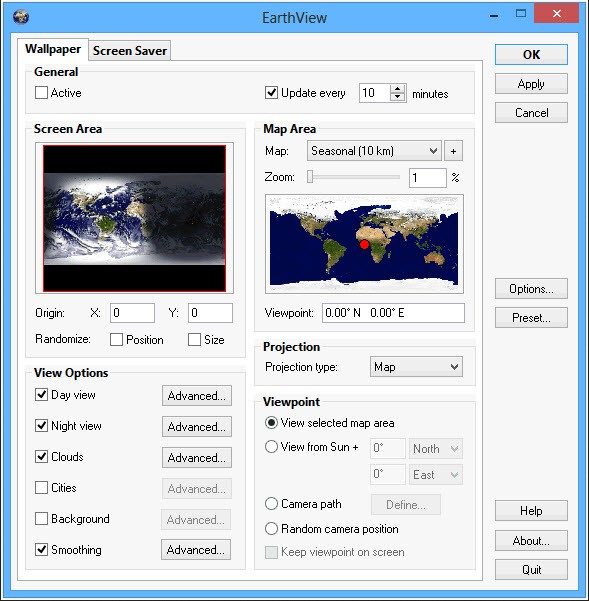
For users asking how to customize the look, the settings are granular. You can toggle specific data layers. Want just the night lights? Turn off the clouds. Want the time zones visible? Enable that overlay. The flexibility is there, provided you know where to look in the settings menu.
There is no magic button that makes your computer faster. But there is a button that makes your desktop more informative. That’s the trade-off. You gain context.


开源的隐性成本
开源通常免费出售。 事实并非如此。 您可以花零美元获得代码,但需要按工程时间付费。 管理依赖关系是一项全职工作。 引入的每个库都带有其自身的负担。 安全漏洞。 许可冲突。 版本漂移。
大多数公司将开源视为一种实用工具。 就像电一样。 你按下一个开关。 它就能工作。 直到它出故障。 然后你就得负责修复。
这造成了巨大的盲点。 领导层认为该许可证是免费的。 他们看不到维护债务。 审计第三方代码所花费的时间。 供应链攻击的风险。 一个受损的软件包可能会导致整个平台瘫痪。
“自由软件就像一只免费的小猫。你不需要花钱,但最终你需要喂养它,它可能会划伤你的沙发。”
零成本的幻想依然存在。 因为结帐时发票没有到达。 它以技术债务的形式出现。 缓慢释放。 安全补丁。 整合令人头疼。
谁真正支付账单?
如果没有人对软件收费,这些项目如何生存? 这不是慈善事业。 这是基础设施。
大型科技公司是主要资助者。 他们使用开源框架。 他们回馈。 并非出于利他主义。 出于必要。 如果底层操作系统或数据库死了,他们的产品也会死。
这是一种共生关系。 开发人员可以使用他们喜欢的工具。 公司获得稳定的平台。 当优先事项发生分歧时,就会出现紧张局势。 一家公司想要一个功能。 社会需要稳定。 或者反之亦然。
这种动态塑造了景观。 有些项目是由企业利益驱动的。 其他由社区志愿者提供。 后者是脆弱的。 倦怠是真实的。 维护者退出。 项目停滞。 用户将面临不受支持的代码。
您需要询问哪些项目有支持。 哪些依赖善意。 有资金的人通常行动得更快。 但他们也可能会朝着为赞助商而非用户服务的方向发展。
Compliance Trap
Legal groups hate open source. It’s not because it’s bad. Because it’s complicated.
There are dozens of license types. MIT. Apache. General Public License. BSD. Everyone has different requirements. 有些是宽松许可. You can do almost anything. Some are copyleft. Changes must be published.
Mixing licenses is dangerous. 将GPL代码与专有软件结合 can potentially contaminate the entire code base. 你可能需要开源自己的工作.
Companies need visibility. They need to know what they are using. Where did it come from? What does the license say?
This is where software composition analysis (SCA) tools come in handy. The SCA tool scans the code. Identify the package. 检查许可证. 标记漏洞.
But the tools aren’t perfect. They miss transitive dependencies. 它们错误分类许可证. 你仍然需要人工验证. To make a judgment.
忽视合规性是一场赌博. It’s expensive. Litigation is expensive. The reputational damage is even more serious.
The future is fragmented
Ecosystems change. Cloud providers are rolling out their own flavors. Kubernetes. Linux distribution. 容器运行时.
This breaks up the community. A standard is created. Then the fork. Then there are the competition standards.
Developers are tired. There are too many options. Too many tools. They want simplicity.
But complexity is inherent. As the system grows, the surface area also increases. Even more components.


