


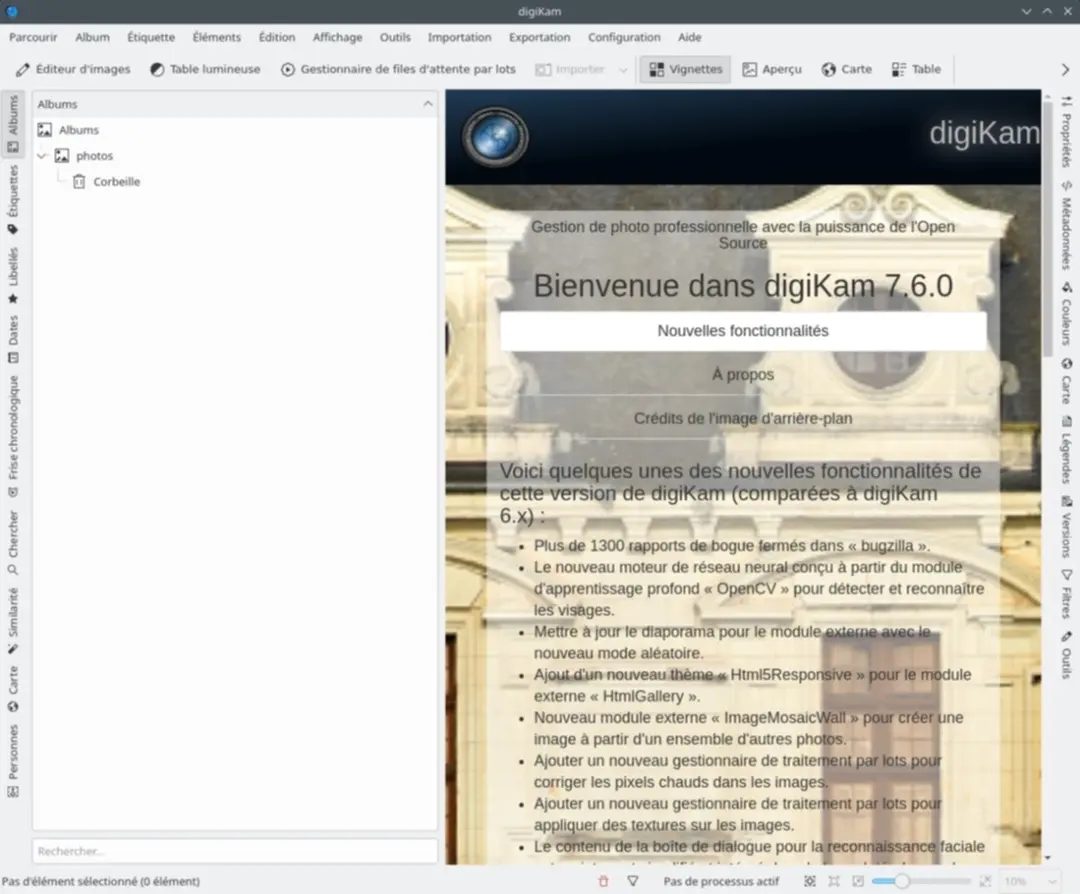
Most people treat their photos the same way digital hoarders treat junk mail. They store hundreds of gigabytes of JPEG and RAW files on the drive and hope for the best. This doesn’t work. You need a system. You need digiKam.
Developed by KDE, this tool has been at the intersection of library manager, cataloging beast and full-fledged editor for years. It’s free. It is open source. For those who really value their image archives, this is probably the most effective option. Whether you’re shooting with a professional DSLR or simply organizing vacation photos on your phone, digiKam can handle the heavy lifting.
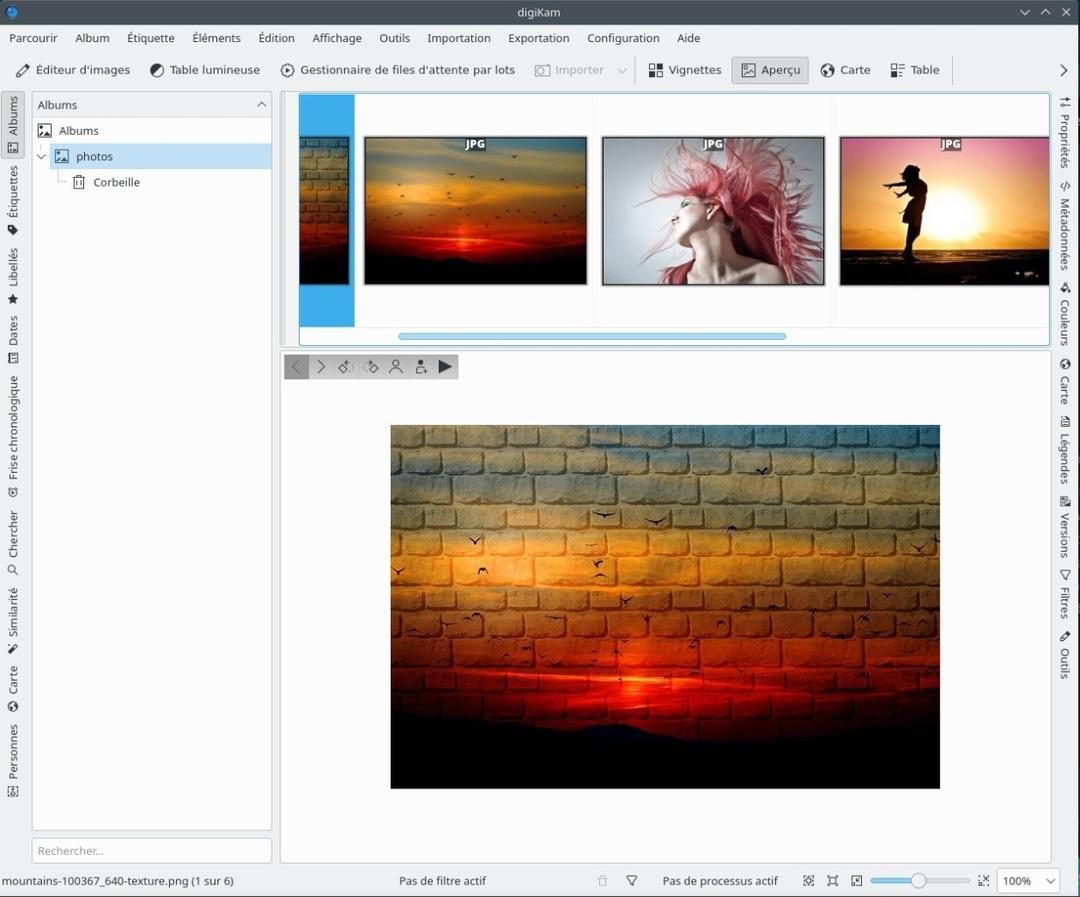
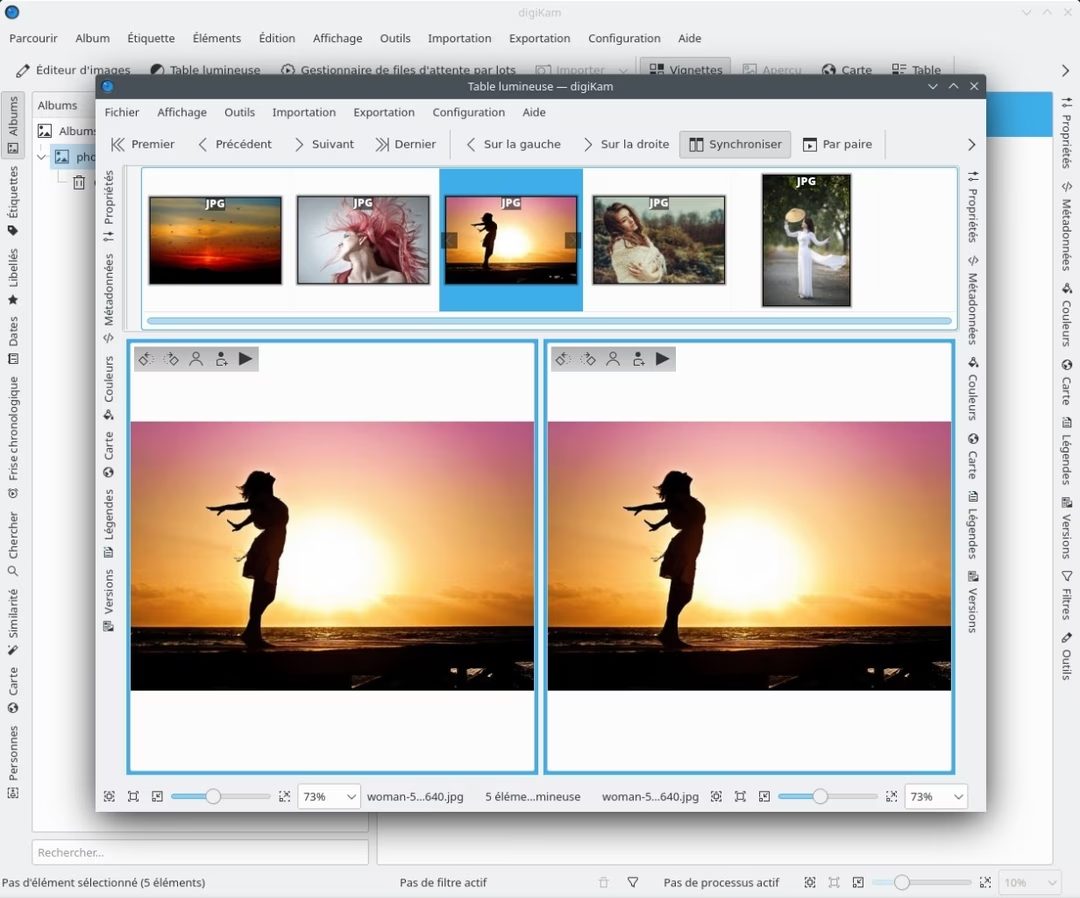
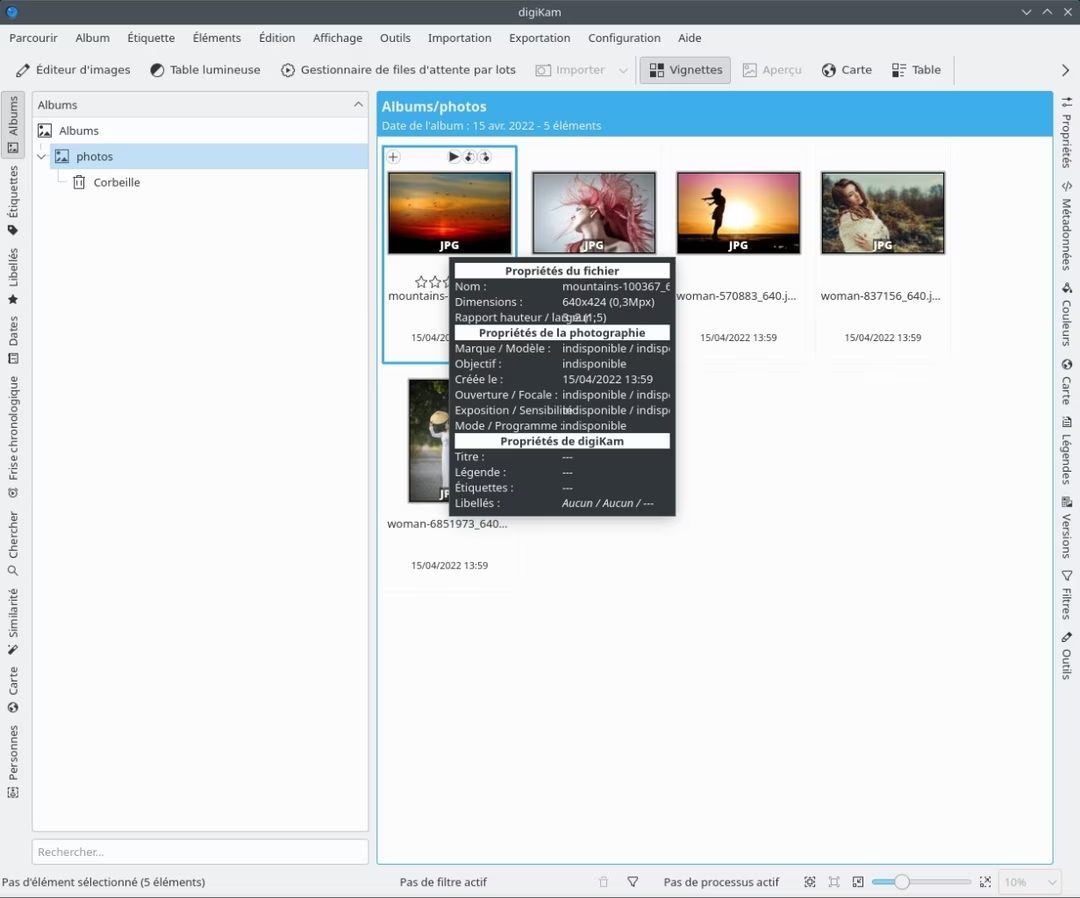
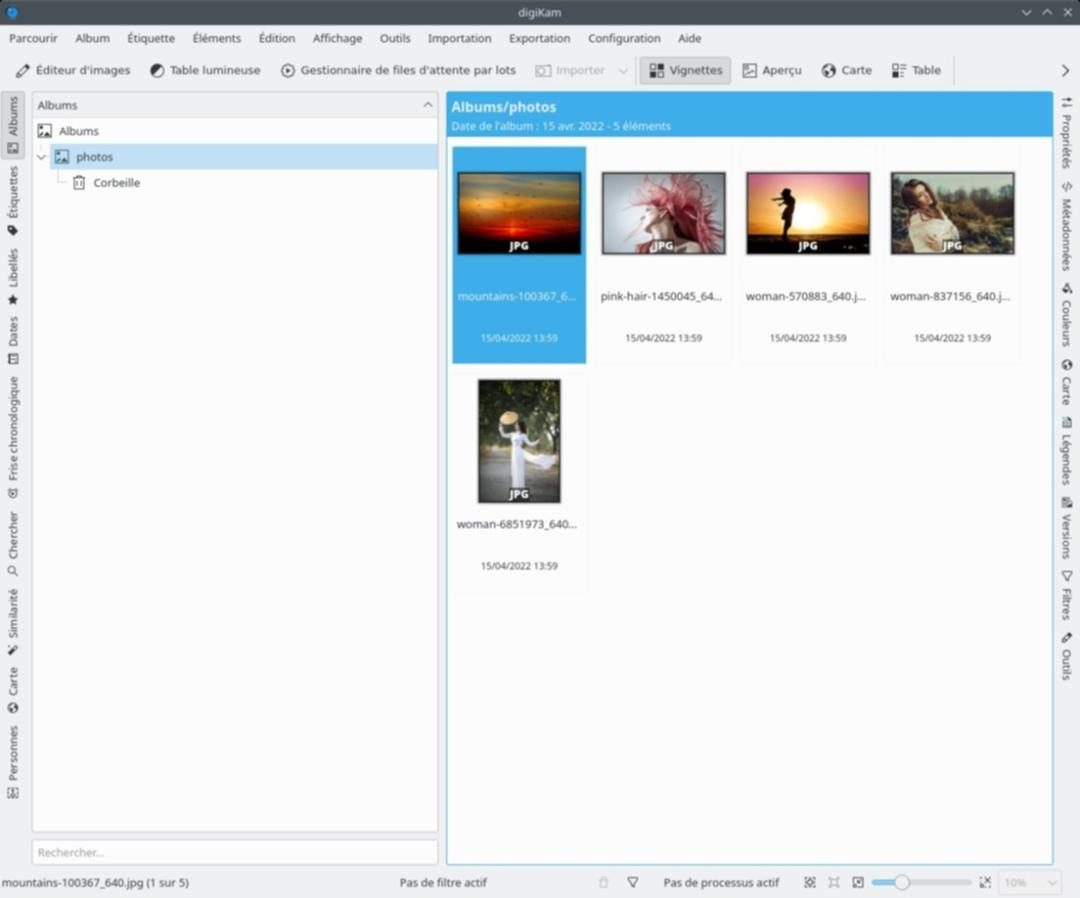
The true test of photo management is size. Can you process 100,000 images without delay? digiKam can. It’s more than just listing folders. It indexes them. Metadata, facial recognition and custom tags make searches instant. Folders are no longer referenced. You query your library.
Why digiKam is important to your workflow
This software bridges the gap between storage and retouching. No need to export files to Photoshop and then import them again to organize them. The workflow is centralized.
Supports RAW, JPEG, PNG, TIFF and almost all other formats. This is not only convenient; it’s a necessity for a unified workflow. If your camera shoots in RAW format, digiKam sees all the data. If you shoot a HEIC or JPEG image with your phone, digiKam will also recognize it.
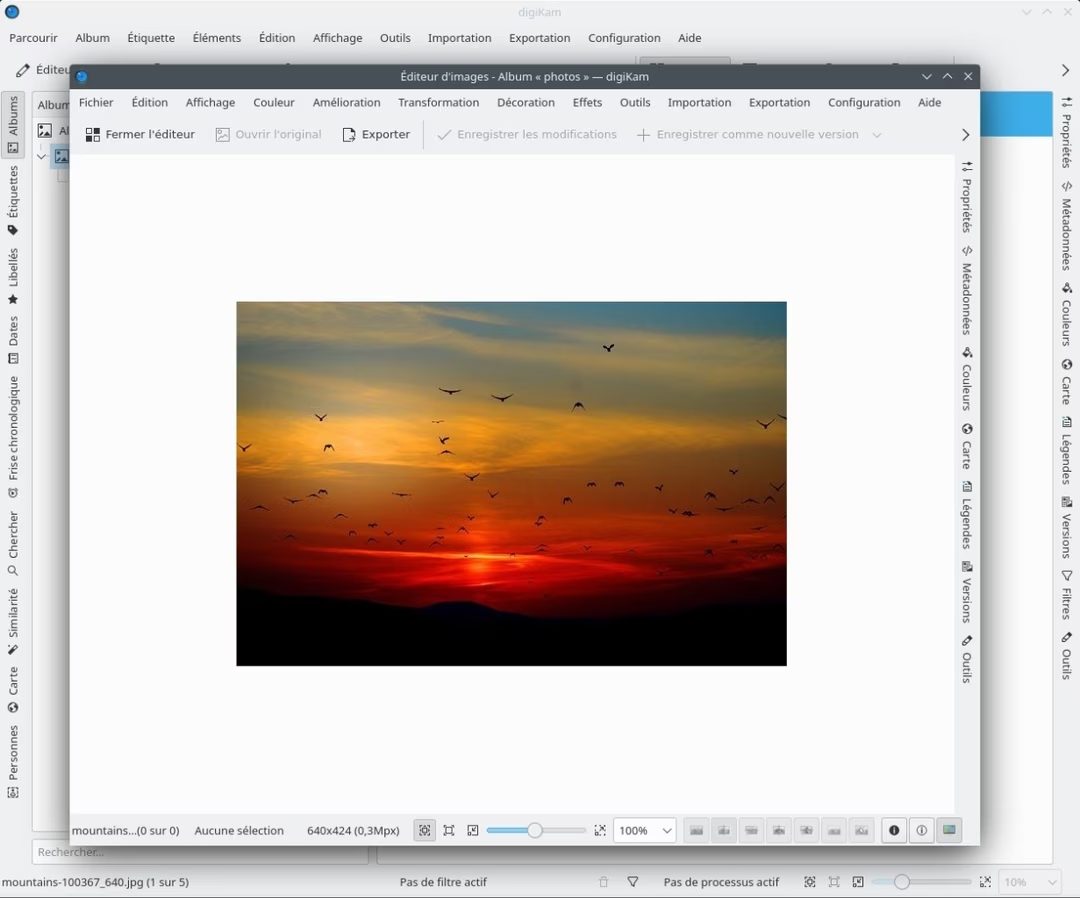
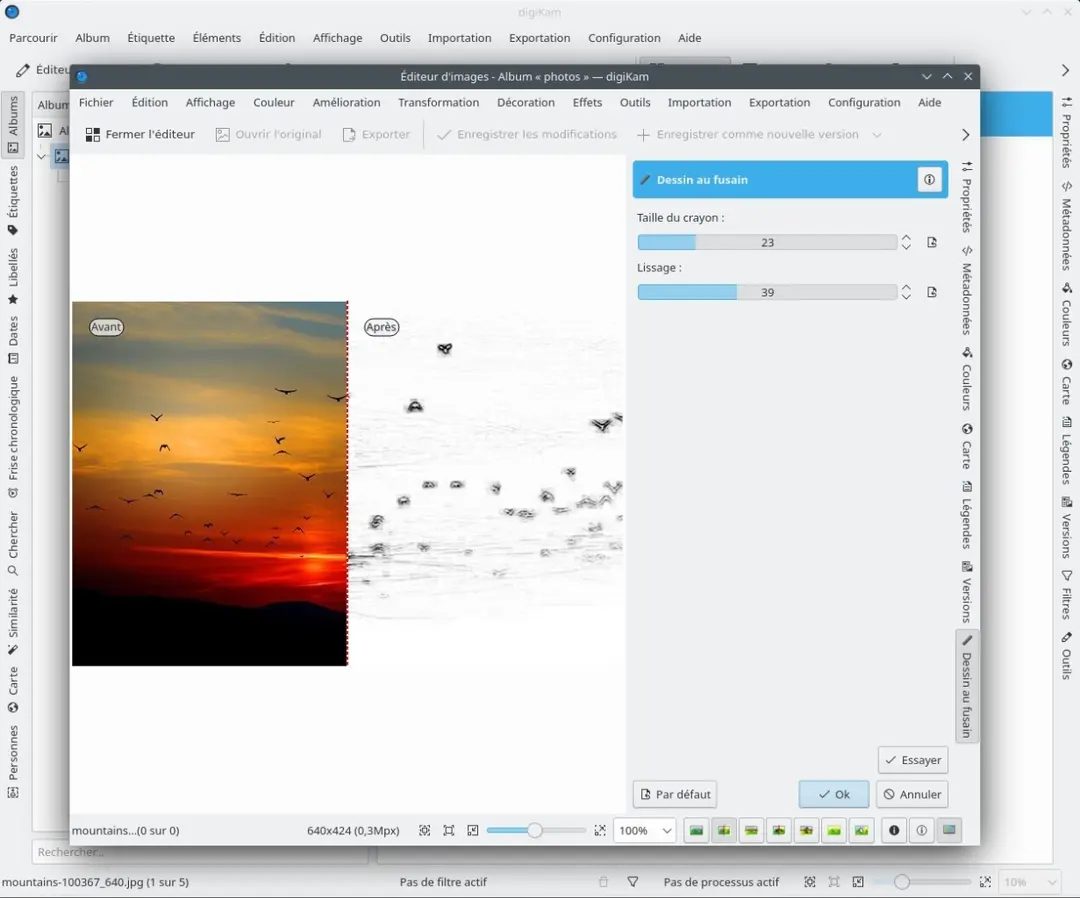
The editing module is the most important place. This is not a toy. Tools are available for exposure, contrast, color correction, sharpening and noise reduction. You can also correct, crop or remove red-eye. Importantly, these edits are not destructive. The original file remains intact. Settings can be saved as sidecar files or copies. This means you can experiment freely without worrying about damaging your source material.
Yes, it works on Windows, macOS and Linux. Cross-platform support is rare for software this powerful. The tools are in the hands of users, regardless of whether they are loyal to the operating system or not.
Where and how to download digiKam safely
Getting software is easy, but you have to do it right. There are many sources of information on the Internet. Some are mirrors. Some are outdated. The goal is to get an official stable release.
The official download page can be found on digiKam’s website. There are no barriers to registration. No paywall. The “Lite” version has no limits. Full suite available.
Windows has options. 32-bit or 64-bit. Unless you’re using hardware from the last decade, 64-bit versions are now the norm. The installer guides you through the entire process. This is standard. Next, next, finish.
MacOS users are not excluded either. The developer supports Intel and Apple Silicon (M1/M2/M3) chips. You can download the installation package directly. Fully integrated into the macOS ecosystem.
Linux is the home of digiKam. Flexibility is the rule here. You can use your distribution’s package manager (such as apt or pacman). This is usually the best route for stability and automatic updates. Alternatively, you can compile from source if you are building a custom environment. The code is available. The documentation is there. You just have to be willing to do the work.
Compatibility and maintenance: Keeping It Fresh
One less glamorous but more important aspect of the software is its longevity. Does it work on older systems?
Wide compatibility. Windows XP – Windows 11. macOS High Sierra – Ventura (can be even higher when Apple updates the operating system). This breadth indicates that the code base is mature and stable.
But what if you need an older version? There may be plugins that only work with older versions. Or your hardware is too weak for the latest version. digiKam archives all versions. You can go back and download previous versions. This is a huge advantage for professionals who cannot afford downtime for software updates.
Updates are very important. These bring security fixes and new features. The software includes an internal updater that automatically checks for new versions. You can also force checks. Alternatively, you can manually download the latest installer from the official website.
Staying up-to-date isn’t optional if you want to achieve the best performance. Developers are active. The community is active. The software is constantly evolving.
The Bottom Line
There is no need to pay for photo management software. The money you save can be used for better lenses or more storage space. digiKam offers professional cataloging, efficient editing and broad platform support at no cost.
It’s not the prettiest tool. The user interface is detailed. Learning takes time. But once installed it works fine. Index. Search. Edit. Protect the original.
For those with hundreds or more photos, switching to digiKam is worth the effort. Your future self will thank you when you finally find a picture from five years ago.
The surrounding ecosystem is constantly evolving. Add-ons add functionality. Scripts automate tasks. The core remains strong.
Is it perfect? No software is. If not configured correctly, large libraries can consume large amounts of resources. There is a learning curve. But when it comes to control, privacy and power, nothing beats it.
Let’s start by downloading. Then you import. Then you organize. The rest are as follows.

Benefits of open source: Why digiKam costs nothing
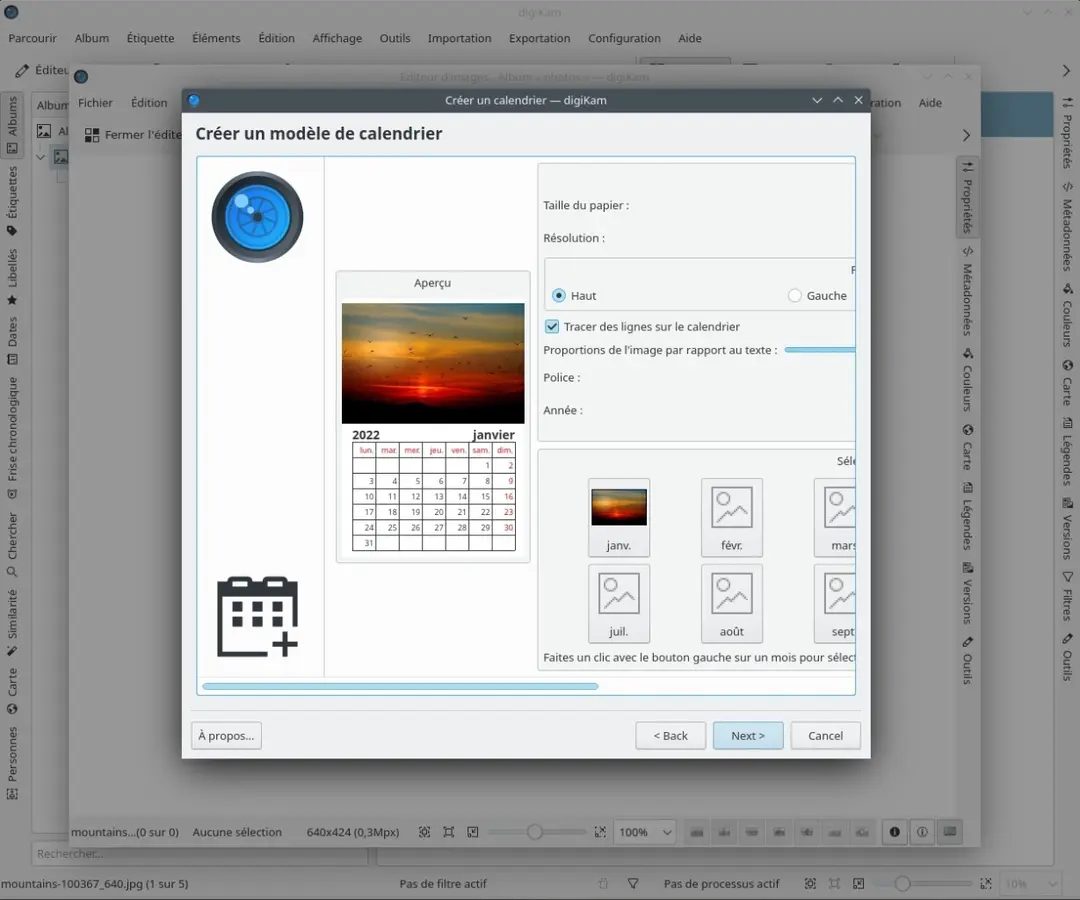
Most photo management tools operate on a “freemium” model. You can get the basics for free, but what about the fancy stuff? That’s locked behind a subscription or one-time purchase. digiKam completely breaks this mold. It is built under the GNU General Public License (GPL) and operates as a pure open source application.
This means there are no paid tiers. There is no “pro” version for professionals and no “student” discount for students. Everyone gets the exact same software, and all features are unlocked as soon as you install it.
Why is this important? It removes financial barrier to entry. If you manage a large library for a company, school or personal archive, you don’t have to pay for access to your data. This is in contrast to proprietary giants that use licenses to limit functionality or lock users into recurring revenue streams.
Comparison of DigiKam with Lightroom, Darktable and XnView
Things get crowded when you start looking for an alternative to Adobe Lightroom. But on closer inspection, digiKam offers a unique value proposition.
and. Adobe Lightroom
Lightroom is the industry standard for many professionals, but it requires a subscription and is based on closed source software. digiKam Achieve a fully cloud-centric workflow at the expense of transparency and longevity. you have that tool. You can change the code according to your needs. This freedom is valuable for users who are tired of paying monthly fees and want to ensure that their software doesn’t disappear just because of a change in company strategy.
and. dark table
Darktable is also open source, so comparison is difficult. Darktable focuses on non-destructive RAW processing, similar to a digital darkroom. digiKam focuses on the other side of the equation: organization. It excels at metadata management, deep search and archiving. If your main problem is finding pictures from five years ago, digiKam is usually a more reliable option. If color grading and developing RAW files is your problem, Darktable may be a better choice.
and. XnView
XnView is generally lightweight and fast, suitable for simple viewing and basic batch conversions. However, it lacks digiKam’s detailed metadata engine and advanced library management features. If you have tens of thousands of images that require complex annotations, XnView might be too simple.
Learning the Ropes: support, documentation and compatibility
You don’t need a degree to learn digiKam, but you do need to know where to look. The software doesn’t have a dedicated customer success team, but the community makes up for it.
Where to find help:
– Official Documentation: This wiki is extensive and regularly updated, covering everything from basic importing to advanced metadata editing.
– Video Tutorials: Platforms like YouTube have a growing library of user-written tutorials in multiple languages.
– Forums: Active user discussion groups are a goldmine for troubleshooting. If you have specific import issues or plugin conflicts, someone may have asked the same question.
Although there is no official certification, some online learning environments include digiKam in their open source photography courses. Community participation is actually the best form of education. In addition to learning how to use the software, you will also learn how the idea of open source data management works.
Hardware and mobile restrictions
One area where digiKam shows its age is mobile integration.
Native Mobile Apps
There is no official digiKam app for Android or iOS. This is a huge gap for users who want seamless synchronization between their library and mobile phone. Libraries cannot be edited or browsed natively on a tablet using the digiKam interface.
Workarounds
However, the software is not isolated. You can:
– Export your gallery as a static web page or PDF file for viewing on mobile devices.
– Synchronize folders between your computer and phone using a cloud storage service such as Dropbox or Google Drive.
– Use third-party tools to bridge the gap, but this requires manual work.
Importing from Devices
On the desktop side, digiKam handles the hardware well. Supports Picture Transfer Protocol (PTP) and Media Transfer Protocol (MTP), which can be imported directly from cameras and smartphones. It also respects ICC color profiles and ensures that the colors displayed on the screen match the printed colors as closely as possible.
Conclusion: A Strategic Choice for Data Longevity
digiKam is more than just a photo viewer. It is an archive engine.
If you prioritize ease of use and mobile sync, it can be difficult to use. But if you value ownership, detailed metadata management, and tools that work for free decades later, it’s hard to beat. It sits comfortably in a modern and stable ecosystem, bridging the gap between casual viewers and complex professional suites.
the lack of a subscription fee is just the beginning for users who are ready to take control of their digital legacy. The real value is the freedom to organize, search and preserve without limitation.
The question remains: are you willing to trade convenience for ownership? For many, the answer is a clear “yes”.

Why digiKam is a strong champion of local photo management
I want to organize my large photo library without transferring data to the cloud. You want precise control over metadata and image quality. digiKam makes it possible.It’s a 㧋築とたますますますででするる築がれますますでするでするる築れれまするでするですですでするるしてするしてするでするでするでするですきで、
The default setting uses a local SQLite database. It works for most people. However, when your collection reaches tens of thousands of images, you can switch to a network engine. MariaDB or MySQL options are available for these heavy setups. The editing workflow is non-destructive. The original file remains intact. Changes are saved as sidecar files or internal records.
Really important technical specifications
Software is free of charge. It runs under the GNU GPL license. There is no need to reveal your e-mail address. This is important for privacy. This is important for speed.
It works on Windows, macOS, and Linux. Windows Installer supports versions from XP to Windows 11. MacOS users have native support for Intel and Apple Silicon chips. Linux users can find packages for large distributions. The underlying technology stack uses the Qt and KDE frameworks. This makes the user interface responsive and multilingual. Not only French, but also many other languages are fully supported.
Image formats are covered extensively. JPEG, PNG and TIFF are standard formats. RAW files? Yes. digiKam uses LibRaw to parse various camera RAW formats. The rest is handled by the system codec. Color management is very efficient. You can manage ICC profiles for viewing and exporting. Metadata editing includes EXIF, IPTC and XMP. This ensures that tags and descriptions are preserved after migration or backup.
Offline preferred, cloud optional
No internet connection required. Core functions work completely offline. Can be imported from camera via PTP/MTP. Or drag a folder from your local drive or network share. The card reader also works. The chain is reliable. From capture to archiving, your data is always local.
Internet is only needed to export to online services. You also need to check for updates. Otherwise, everything is under your control. No telemetry. There is no forced login. Just image management.
Who Is This For?
ワンクリックでソーシャル共有をしたい一般的なユーザーには適していません。 写真を資産として見る人向けです。 アーキビスト。写真家。 デザイナー。サーバーの応答を待たずに、顔、場所、または特定のメタデータ フィールドで検索する必要がある人。
モジュール システムにより、カスタム エクスポートおよび処理ワークフローが可能になります。 パイプラインを構築できます。タスクを自動化できます。インターフェースは緻密です。 ボタンがたくさんあります。ただし、この密度は機能であり、バグではありません。 これは、すべてのツールがすぐに使えることを意味します。
Conclusion
digiKam is a powerful free open source tool. Respect your data. It respects your time. Respect the hardware. The experience is the same whether you’re using Windows, Mac or Linux. The learning curve is steep. The reward is complete control.
There are other options. Lightroom. Capture One. It’s expensive. They are proprietary. These are cloud-centric. digiKam is the opposite. This is local. It is transparent. It is built by the KDE community.
You can download it. Install it. Import your photos. Try it. See if it fits.


平台锁定和生态系统成本的现实
您可能认为您通过更换提供商找到了自由,但事实往往更加混乱。 大多数现代技术堆栈都建立在有围墙的花园上。 它们承诺互操作性,同时悄悄地使退出成本过高。
为什么切换比看起来更难
Friction is no accident. This is a business strategy. Investing time in learning a specific user interface or storing information in a proprietary format creates a moat around 公司的收入流.
Consider data portability. Many services offer export tools, but the file formats are often difficult to use elsewhere. Of course you also get CSV. But can this structure be immediately brought to another platform? Usually not. You spend hours cleaning data, rewriting scripts, or hiring consultants to fill in the gaps.
Then there is the 集成税. If your team relies on a specific plugin ecosystem to manage workflow, leaving the team means rebuilding those connections from scratch. The time costs are real. It’s not just about switching accounts. It’s about retraining employees. It’s about downtime.
“The comfort of an integrated ecosystem is a trap that prevents migration.”
The hidden costs of 专有标准
Proprietary standards lock you into a 单一供应商的路线图. If they change prices, features or availability, you have no influence. You are a tenant, not an owner.
This is especially true for creative software and ERP systems. Adobe’s Creative Cloud is a good example. You do not own these tools. You rent them. If you stop paying, your assets will no longer be 无法访问的档案. The same is true for many database systems. Transferring data requires expertise and a lot of effort.
Compare this to open source alternatives. The learning curve may be steeper, but the data is still yours. The format is documented. Communities can build bridges. But let’s be honest: open source is not always an easy path for the average user. The support structures are usually thinner. The user interface is not refined enough.
The illusion of interoperability
The API should solve this problem. This way different systems can communicate with each other. However, the API has changed. they broke. These will be disabled without warning. Relying on third-party integrations means you trust that a vendor’s technology decisions won’t disrupt your workflow overnight.
We see this over and over in the SaaS world. Small updates to CRM 平台 can break 电子邮件营销集成. Or social media API rules change to limit the amount of data that can be extracted. This dependency moves from the software itself to the fragile web of connections between the software.
What should the user actually do?
Don’t rely on marketing copy. 在注册前查看退出策略。
- Check the export format. Is it standard? 是开放的?还是定制的?
- **See the API documentation. ** Is it stable? Is it documented?
- **Ask about data ownership. ** 您是否保留权利? 您可以完全删除数据吗?
- **Calculate 切换成本. ** Consider time, cost and disruption.
这并不意味着要避免使用现代工具。 It’s about understanding the trade-offs. You sacrifice your comfort for control. Or you can pay more to keep your options open.
The best defense is redundancy. Don’t put your core business logic in one black box. 保留备份。 Use standard formats. 保持一定的冗余


