


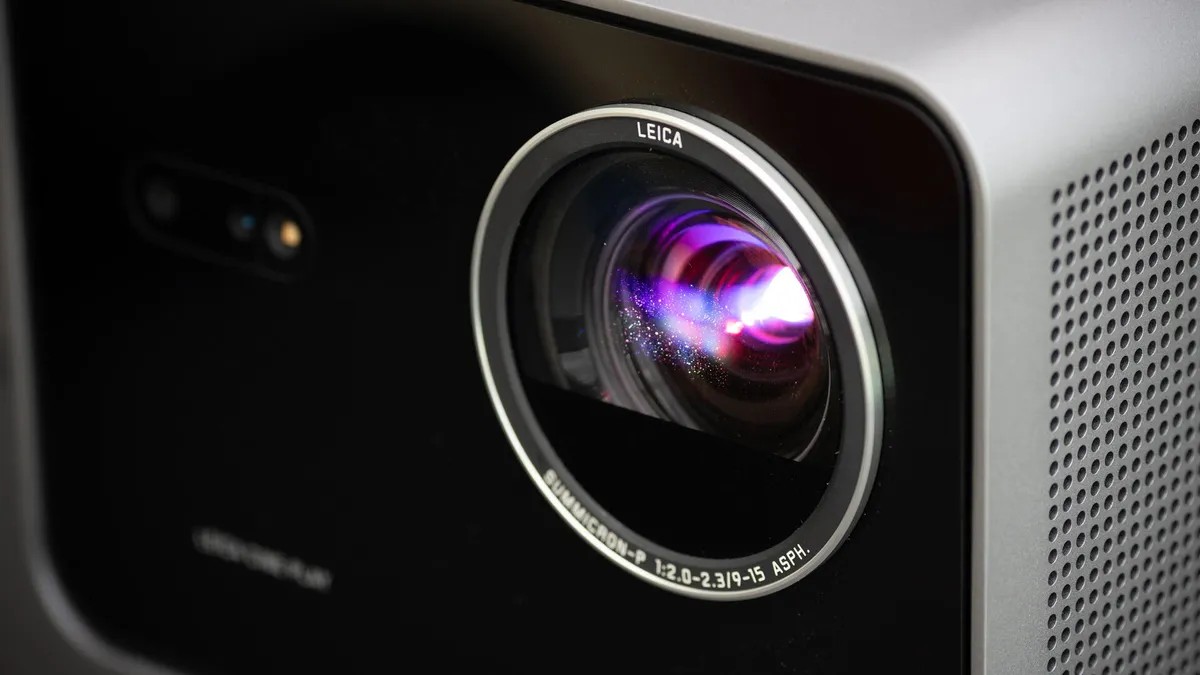
Leica builds cameras. That is their thing. You know that.
But here? It’s building a projector. Specifically the Cine Play 1. A gimbaled box that promises 3,000 raw lumen output. And 4K resolution. Sounds great on paper, right?
It looks incredible, too. An aluminum shell. Not plastic like every other budget throw.
But when it costs $3,795, or at least $3,000 if you catch a sale, the Leica tax hits hard. You’re paying for the red dot. And sometimes that’s fine. For other times? It feels like overpaying for a badge while the actual performance sits in “okay” territory.
Specs vs Reality on Brightness
The claim is 3,000 LED projector brightness or rather RGB laser lumens. Reality is a bit different.
In its standard accurate mode—shockingly not the “Filmmaker” mode which is usually where you’d hope for precision—I measured 2,100 lum. That is respectable.
Turn on “Brightness Enhancer” to Ultra? You hit 2,647 lumens. But then things get weird. The image leans noticeably green. The fans spin up louder enough to break the usual zen of Leica engineering. Dial that back to High, and you lose some green tint for 2,540 lumens, but the noise stays.
Contrast is where you might actually feel a twinge of relief. I measured 1,386:1.
For a laser projector of this class? That decent. It’s 40 percent higher than my CNET reviewer average. It sits toe-to-toe with rivals. The Epson Home Cinema 500 (5050 in their lineup, different market) crushes this with over 5,000:1. But that thing is heavy. Stationary. Big. The Leica moves. That counts for something.
Vidaa OS vs. Google TV: Why Does It Matter?
Most modern smart projectors run Google TV. Everyone uses Google TV.
Why? Probably because Google pays for integration. Or because it’s easy for the engineers to slap in.
Leica went with Hisense’s Vidaa OS on the Cine Play 1.
It is… cleaner. Less clutter than Google. A simple row of apps. A small picture-in-picture of your last input source. If your niche app isn’t on there? Connect an external streamer. It works well.
The hardware side gets a bit of that “Leica cinema” treatment. Turn the projector off. You don’t get a sudden black screen or a beep. Black bars slide in from the side like theater curtains closing. Classy? Maybe. Slightly theatrical? Definitely.
Audio from the dual 10-watt drivers is boomy but loud enough. Just grab an optical cable to a sound system. The remote is heavy metal. Not backlit though. You’ll be fumbling for a nightlight switch.
Cine Play 1 vs. JMGO N3 Ultimate: The Showdown
Let’s address the elephant. Or the competition. The JMGO N3 Ultimate sits at a few hundred bucks less.
I put them side-by-side. 102-inch screen. Same signal chain.
The JMGO is technically brighter in my test (2,450 lum vs 2,100). Real world? Barely noticeable. That’s a 15 percent swing. It takes a jump from 1,000 to 2,000 to make someone look up.
Contrast looked virtually identical. Side by side? Both solid. Neither blown away by depth.
This is where color matters. And here the Leica stumbles.
Leica camera color science implies precision. But in Cine Play 1 land, the whites drifted. Reds faded. Skin tones took on a pallid grayish cast. I tested multiple presets including the Filmmaker mode. None felt “correct.” The JMGO stayed true to source without needing a technician in a tuxedo.
You can tweak the settings yourself, of course. Extensive menus exist. But spending more on a calibration for a projector already at this price point? It gets exhausting. There are cheaper projectors with better out-of-box color.
The RGB Laser Glasses Problem
There is one quirk to this technology. RGB laser projectors have a side effect for glasses wearers.
Depending on your lens prescription, you will see chromatic aberration. Color fringing. Ghosting on high-contrast edges. White credits on a black background look split, bleeding green or red fringes. If you sit close and look through the corner of your glasses, it amplifies the effect.
It isn’t the “DLP rainbows” that plague cheaper lamps. This is distinct.
Do not wear glasses? Probably won’t affect you.
Wear glasses? You might hate it. I find it distracting. If this matters, look at LED models instead, like the BenQ W4100 (actually the W4100i). They dodge the issue entirely.
Should You Buy It?
The market for projectors is surprisingly opaque.
You buy from one brand, another brand is selling the exact same internal chassis and lens glass with different branding. Texas Instruments controls most of the DLP chip market. Epson holds the high ground with their proprietary 3LCD tech. JVC dominates the true cinema contrast space.
Where does the Leica fit?
In the middle. In terms of raw imaging tech? It is fine. Nothing wrong.
In terms of price-to-performance ratio? It suffers from the “Leica tax.” You are buying an aesthetic object. The metal shell feels luxurious in a room full of matte-black plastic. The gimbaled mount means you don’t have to crawl under a heavy unit to tilt the image. That motorized vertical adjustment is handy.
Is it better than a JMGO? By a significant margin? Not in picture quality. Maybe in build feel.
It’s not bad. But for nearly four thousand dollars? It’s supposed to be better than “not bad.”
You pay for the name. If the name is enough, the curtains close perfectly on your movie night.


