Remember when buying a laptop was easy.
You picked a size. Checked the specs. Paid the bill. Done.
Not anymore. Now you’re staring at terms like “NPU,” “Copilot+,” and “local AI processing.” It feels like a vocabulary test from the future. And if you’re just trying to replace a dying PC, it’s a bit annoying.
But ignore those acronyms at your own risk. That dedicated AI chip isn’t just marketing fluff. It actually changes how the machine handles power. It runs faster on battery. It speeds up creative tools.
Dell has packed their latest models with this stuff. Some are for browsing email, others are for churning out 4K video. So where do you start?
The NPU: Not just another acronym
Copilot is Microsoft’s answer to AI assistants, built right into newer Windows laptops.
The big leap? The NPU.
Neural Processing Unit. It’s not a CPU, which handles general logic, or a GPU, which crunches graphics. It’s a specialized lane for AI traffic. Think of it like a dedicated fast-food lane at the DMV while the other lanes are backed up for standard services.
To earn the “Copilot+” label, this NPU needs to hit 40 TOPS. Trillion operations per second.
Why does that matter?
Because efficiency wins.
An NPU handles AI tasks better than traditional chips can. It leaves room for your CPU to breathe. This translates to real-world perks. Live captions that don’t lag. Real-time translation. A camera that fixes your eye contact when you’re zoning out. It summarizes documents. It edits photos locally, keeping your data private since it doesn’t have to trip to the cloud for every small task.
Time is the currency
Here is the boring truth: AI doesn’t make your laptop feel like it’s from a sci-fi movie.
It just saves time. Small seconds add up. Summarizing a twenty-page report takes three seconds instead of five minutes. Generating meeting notes happens automatically.
Remote workers get smoother video calls. Students get better focus. Creators get faster renders.
Is it a revolution?
Maybe not. It’s an evolution. But over the course of a week, those small frictions vanish. And isn’t that what we buy computers for? To get out of the way?
Dell throws in a physical Copilot key for quick access. A dedicated button means you don’t have to dig through menus to summon the AI. It’s right there.
Inspiron Plus: The workhorses
If you want the benefits without the flagship price, the Inspiron Plus line is where it’s at.
The 14 Plus
It’s small. Light.
Carry it to coffee shops. Pack it for class. The screen is tight, but that’s the point. You aren’t editing masterpieces on it; you’re juggling browser tabs, Zoom calls, and spreadsheets.
It’s a commuter’s best friend.
- Portable 14-inch frame
- Copilot+ capabilities
- Solid battery for a day of meetings
- Cheap enough not to panic if it spills coffee on it
The 16 Plus
More room. That’s the difference.
If you live with four monitors open at once, the 14 might feel cramped. The 16 gives you the space to see Excel formulas side-by-side with your notes.
It’s not a workstation, though. Don’t try to compile heavy code on it. But for multitaskers who hate switching windows, the extra real estate is a lifesaver.
- Larger 16-inch canvas
- Less window-swapping
- Intel Core Ultra performance
- Good for office drudgery
XPS: Premium polish
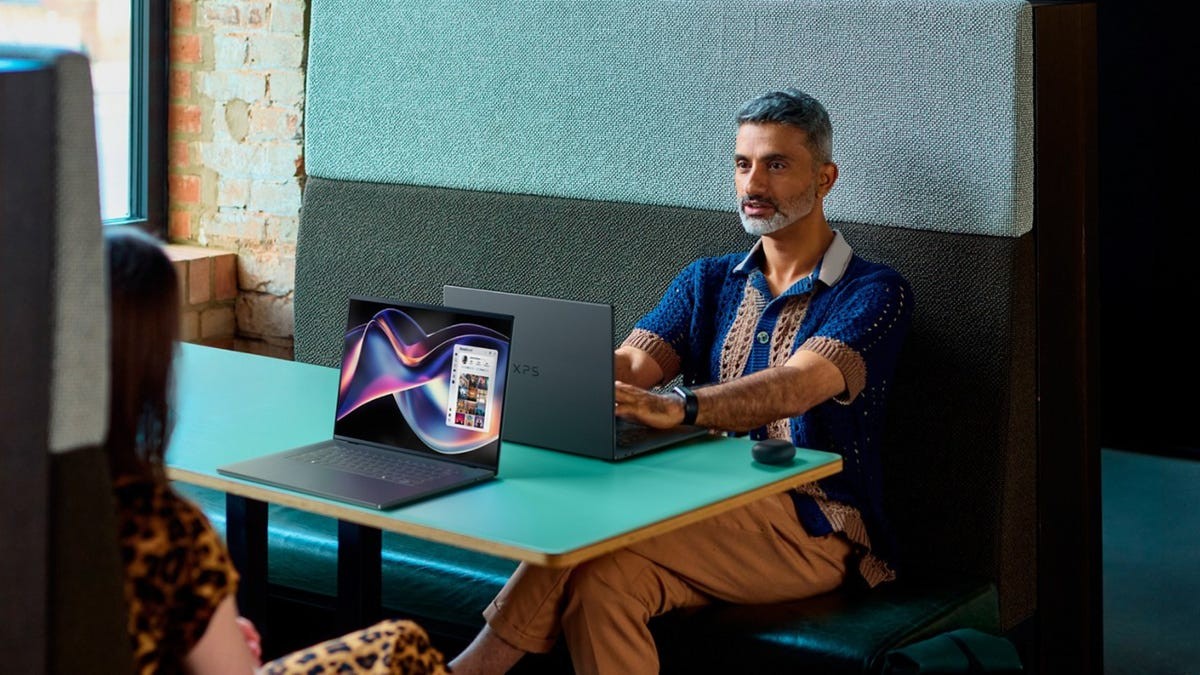
Step up the cost, step up the build. The XPS line is Dell’s answer to “I want my laptop to feel expensive.”
XPS 14
Sleek. Compact. Powerful.
It uses aluminum. The edges are sharp. There’s an option for a 2.8K OLED touch screen, which makes colors pop in a way IPS panels never will.
It’s got adaptive refresh rates. Smooth when it needs to be, slow when you’re saving battery. It can even take a discrete graphics card if you’re doing light creative work.
Best for: Professionals who care about aesthetics but need to travel.
- Premium aluminum chassis
- Stunning OLED display options
- Discrete GPU option
- Great for creators on the move
XPS 16
This is the big gun.
It’s thin for a 16-incher. Unbelievably thin. Only 3.6 pounds.
That number doesn’t tell the whole story. The battery life? Up to 31 hours in Dell’s testing.
Thirty. One.
That means you could technically leave your charger at home for a week if you weren’t doing heavy rendering. The keyboard has graphite accents, backlights included, and it just feels solid in your hands. No flex. No creak.
It’s the best option if you refuse to sacrifice screen size for battery life.
- Largest screen in the bunch
- Variable refresh rate up to 120Hz
- Incredible battery endurance
- Built for long days away from a power outlet
So. Do you need all this AI horsepower?
If you just write emails and browse Reddit, probably not. The older stuff works fine. But if your day involves chaos—video calls, endless documents, creative edits, tight schedules—that NPU might just make it bearable.
The tech is here. It’s efficient. And it’s only getting smaller.