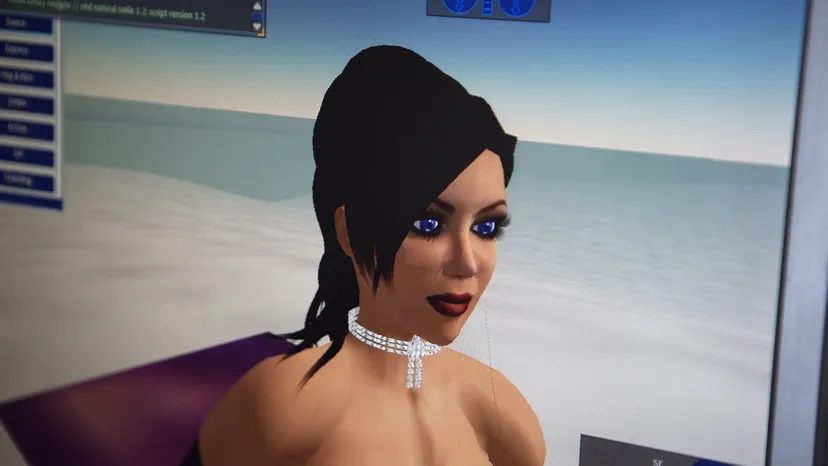
When Second Life launched in 2003, it sucked in attention like a black hole. The premise was simple enough: a 3D space where you could be anyone or anything. But the reality is messier. It’s not just a game. It’s a persistent online environment with a real-world economy tied to actual currency. The result is a complex mix of high rewards and genuine risks for users willing to dive in.
Created by Linden Lab in San Francisco, the platform runs on a foundation of user interaction. You sign up as a resident. You build an avatar. Then you navigate a world built by people like you. It is far more than a sophisticated chat room. Residents contribute user-generated content to the world. This means you build your own buildings. You design objects. You create animations.
This open approach drives the adult-only rating. Linden Lab places few restrictions on what residents can create. That freedom means you might stumble across raunchy content while exploring. But it also means the world never feels static or pre-packaged.
Beyond the Chat Room
Residents don’t just talk. They attend social gatherings. They sit in on press conferences. They even take college classes. The list of real-world activities you can replicate here is long. Buy land. Shop for virtual clothes. Hang out with friends.
Then there are the things that defy physics. Avatars can fly. They can teleport to nearly any coordinate in the grid. Some residents write scripts. These small programs give objects new abilities. Think special animations or the ability to copy other items endlessly.
People often compare Second Life to MMORPGs (massively multiplayer online role-playing games). The comparison holds up on the surface. You control a customizable 3D figure. You traverse strange landscapes. You meet new characters. But the core loop is different. In an MMORPG, you follow a developer’s quest line. In Second Life, there are no pre-determined goals. It is a sandbox. A virtual world free of tasks. Just like reality.
Is It Still Alive?
The hype peaked in the mid-2000s. Interest cooled significantly after that. By 2018, reports showed about 500,000 active monthly users. That is down from over 1 million in 2013. Then came 2020. The pandemic kept people at home. Registration numbers spiked again. Whether you are a returning user or just curious, understanding the mechanics is key to navigating the space.
Membership Has Its Privileges
You don’t need to pay to enter the gate. A basic membership is free. It lets you create an avatar. It lets you look around. It gives you a private home slot and some basic virtual goods.
If you want exclusive areas or more space, you can upgrade. The premium membership costs $11.99 a month. You can pay quarterly for $32.97 (which works out to $10.99 per month). An annual subscription is $99 a year. That breaks down to $8.25 a month.
Second Life Avatars
Why Your Avatar Isn’t Just a Template
Start in Second Life, and you’re handed a generic body. Male. Female. Blank slate. You can stick with that unmodified template if you want, sure. But the community notices. They know you’re a newb. New users who don’t know how things work stand out. Everyone else spends their first few minutes in Learning Island tweaking their look. It’s a social signal. Don’t be a newb.
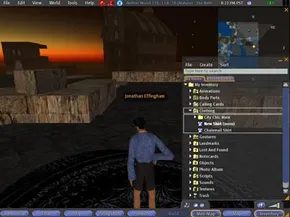
The engine behind this is the inventory. Think of it as an infinite storage locker. Hair. Skin. Objects. Animations. Body parts. You pull items out. You put them on. You take them off. There is no cap. Add to the inventory anytime. The number of combination options is practically limitless.
Nothing lasts forever. Want to swap a hulking brute for a half-cat half-girl creature? Do it. Change appearance as often as you like. Evolution is instant.
Digging Deeper: The Anatomy and Appearance Tools
When you right-click your avatar, a pie menu appears. Select appearance. You get sliders. Adjust the nose. Lengthen the hair. But here’s the catch. You can only tweak what’s already there. Want a radical new style? You have to design it or buy it.
Residents trade in textures. Realistic skin. Fantasy scales. Feathers. Dozens of users sell or trade clothing, skins, and body parts. Savvy residents use external graphics programs to create clothes and skins, then import the files. It’s a marketplace of creativity.
But customization goes beyond the body. Enter prim structures. Link basic prims together. Create complex objects. Then add Linden Scripting Language. It’s like Java. Give objects properties. Make a puppy that follows you everywhere. Build for theme. Build for fun. Build because you can.
Houses? Yes. Some use AutoCAD for design before importing. Others buy blueprints. Structures can be hyper-realistic. Or they can defy physics.
This user-generated content isn’t just a feature. It’s the foundation. Second Life depends on it. Innovation creates loyalty.
Next up: How do you actually move around and talk to these people?
Anatomy of an Avatar
New avatars start undefined. Like Barbie and Ken. Missing details. Residents offer anatomical options to make the avatar fully functional. Realism? Sure. Or go exotic. Tail. Horns. Wings. The choice is yours.
Walking and Talking in Second Life
Second Life’s interface isn’t exactly intuitive. New users often get overwhelmed by the menus, buttons, and keyboard shortcuts. The learning curve is steep. Most people quit early. Data from 2009 showed only about 10 percent of registered users returned after their first visit. That’s a high drop-off rate.
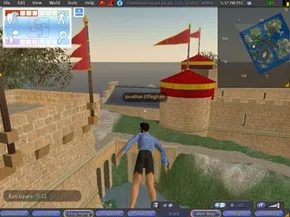
Getting around requires knowing the controls. Avatars move by walking, flying, or teleporting. Walking is basic. You use the arrow keys. Up moves you forward. The mouse controls your head position. It lets you look around without turning your body.
Navigation Options and Teleporting
The bottom of your screen holds several buttons. One is the fly button. Click it. Your avatar launches into the air. You can fly over water or dodge ground obstacles. It’s faster than walking.
Teleporting is even quicker. It’s the fastest way to travel. Open the map function. A window appears showing the world map. Double-click a destination. Your avatar jumps there instantly.
Some places are restricted. Private islands have access controls. You might teleport close to a location but can’t enter. You need permission from the owner. Without an invitation, you’re stuck outside.
Communication and Interaction Tools
How do you talk to others? There are options. You can use the Voice feature. This requires a microphone. You speak live. Others hear you in real-time.
There’s also a chat box. It opens a text window. Messages go to everyone nearby. It’s public. For private chats, use instant messaging. Send a direct message to one user.
Interaction goes beyond talking. Use pie-shaped menus. Right-click on objects. A menu pops up. You see actions you can take. You can interact with users or items.
Gestures are another tool. They are animations. They show mood or simulate actions. You can design your own gestures. Or you can buy them. Trading with other residents is also an option.
The Lag Problem
Why do people leave? Lag is a major reason. It’s a delay. You give a command. The avatar responds later. The delay feels bad.
Lag happens when servers are overloaded. Or when your internet connection is weak. The link between your computer and the servers is slow. Longtime residents accept lag. It’s part of the experience. New visitors find it frustrating. It drives them away.
Second Life’s Tech Specs and System Requirements
What runs this world? The Havok physics engine. This software simulates real physics. It makes the virtual world feel real. It handles collision detection. The engine knows when two items touch. It decides how they react. It manages vehicle dynamics. It controls animations.
Audio and video work inside Second Life. Audio supports MPEG and Ogg Vorbis formats. Video can stream on specific surfaces. If you own land, you can set a surface as a media surface. The texture displays video. Any other surface with that same texture will also show the video. This can cause confusion. Make sure your chosen texture is unique on your land.
Second Life runs on PCs and Macs. The hardware requirements are specific. Don’t skip checking them.
PC Requirements
You need a high-speed internet connection. Windows 10 is required. The processor must be at least an Intel Pentium 4, Pentium M, Core, or Atom. AMD Athlon 64 works too. You need at least 1 GB of RAM. The graphics card matters. Use an nVidia GeForce 6600 or ATI Radeon 9500. The Intel 945 chipset is also compatible.
Mac Requirements
Mac users need a cable or DSL connection. RAM and graphics card needs match the PC specs. But the OS is different. You need Mac OS X 10.9 or better. The CPU must be 1.5 GHz or greater. It needs to be Intel-based. Graphics cards include nVidia GeForce 2 or GeForce 4. ATI Radeon 9500 works too.
Next, we’ll look at creating objects in Second Life.
Textures and Creation
Residents apply textures to object surfaces. A texture is an image file. It gives a surface a look. Think wood grain. Brick patterns. Metallic finishes. You can create textures in programs like Photoshop or Paint Pro. Then import them into Second Life.
Creating Things in Second Life
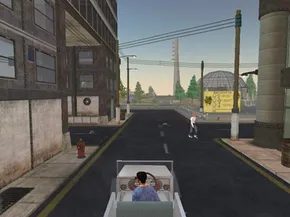
Every structure, vehicle, and flying car in Second Life was made by a resident. Basic construction is straightforward. Complex, impressive builds? Those require serious practice and scripting skills. Fortunately, there is a designated practice area: the sandbox. This public space lets residents experiment without messing up the main grid.
You can open the object creation tool three ways. Click the “build” button at the bottom of the screen. Right-click empty ground and select “build” from the menu. Or use shortcuts. Press Ctrl-4 or Ctrl-B. Mac users hit Cmd-4 or Cmd-B.
Once open, the default window is “create,” marked by a magic wand. The top lists 15 basic shapes called prims. Cubes. Cones. Tubes. Experienced builders stretch, cut, link, and multiply these prims to build everything from hotels to Ferraris.
Here is how you handle the basics:
- Pick a prim shape. Click the ground to place it.
- Open the “edit” window. Move, rotate, or stretch the object. Change the texture. Wood is the default.
- Use the “object” tab for precision. Enter exact measurements and rotation angles. Taper or twist shapes here.
- The “texture” tab lets you pull from your Inventory. Adjust color and shading there.
- Link objects by selecting multiple shapes and pressing Ctrl-L (Cmd-L on Mac).
- Copy objects by selecting one, holding Shift, and dragging.
- Check “use grid” in the edit menu. On-screen rulers appear to help you align things while stretching or rotating.
With these controls, you can build almost any stationary object. But what if you want movement? Interactivity? Then you need the Linden Scripting Language (LSL). LSL resembles C and Java. You can find tutorials online. The Second Life forums have resources too.
To add a script, go to the “scripts” tab in the edit menu. Click “new script.” The editor has a pull-down with dozens of commands. But here is the catch. Without understanding LSL, you cannot just piece these together and expect them to work. It requires actual coding knowledge.
Intellectual property matters here. You retain rights to every object you create. You decide if others can edit your work. You can also set a price. Sell your creations on the Second Life marketplace. We will cover that later.
Second Life Population and Rules
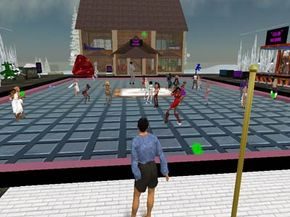
The numbers Linden Lab released for Second Life in October 2007 looked robust. Over 10.5 million residents were on the books. It sounds like a massive community. But that figure is deceptive.
Here is the catch. Linden Lab lets you make multiple accounts. Some of those 10.5 million names are just duplicates. Then there is the churn. Most people try it once. They leave. Never come back. By 2007, some analysts pegged the churn rate at 90 percent. Only one in ten visitors returned.
Fast forward to the 15th anniversary in 2018. The subscriber count hit roughly 57 million. Still a big number. But most of those accounts were dormant. The actual active base? Just 500,000 to 600,000 users logging in regularly. And here is the kicker. Around 150,000 users accounted for 90 percent of all logged-in time.
Linden Lab stopped releasing official stats years ago. These numbers come from third-party trackers. The point remains the same. The headline user count is mostly noise. The real activity is concentrated in a small, persistent core.
The Rules of Engagement
What unites every single resident is a legal contract. By creating an account, you agree to Linden Lab’s terms of service. This isn’t just paperwork. It’s a shield for the company and a rulebook for the rest of us.
You need to read it. Especially if you care about money.
The TOS is blunt. Linden Lab can wipe your inventory. It can take your in-game currency. It can delete your account. And they won’t pay you back. If an incident deletes your data, you can’t sue them. The liability is zero.
This isn’t unusual for virtual worlds. It’s a reminder that you don’t own your stuff. You’re renting space in someone else’s server.
Keeping the Peace
Beyond the TOS, there are Community Standards. Violate these and you face suspension or banishment. The list of prohibited behavior is specific. It covers the main reasons people get kicked out.
- Intolerance : No derogatory language or images based on gender, race, ethnicity, religion, or sexual orientation.
- Harassment : Stalking avatars. Cyberbullying. Intimidation. Unwelcome sexual advances.
- Assault : Committing violence against another avatar in a Safe Area.
- Invasion of Personal Space : Ignoring the comfort zones of other residents. Pushing in where you’re not wanted.
- Inappropriate Content : Breaking content guidelines. Restricting adult content to designated areas only.
- Disclosure : Doxxing. Revealing personal info about another resident.
- Disturbing the Peace : Deliberately disrupting others. This includes repetitive noises. It also means filling a space with so many objects that it causes lag. Making interpersonal disputes public to stir up anger counts too.
- Impersonation : Pretending to be someone else. Taking credit for others’ work. Trying to pose as a Linden Lab employee results in an instant account closure.
Linden Lab has staff in-world to handle situations. But they don’t watch everything. They rely on users to report bad actors.
The consequences are predictable. First offense? Usually a warning. Repeat offender? Membership revoked. You lose everything. All items. All money. No refunds.
The system is simple. Play nice or get out. But does it actually work? The community standards exist to prevent chaos. Yet the virtual world often feels lawless. Why do people stay?
Second Life Economy
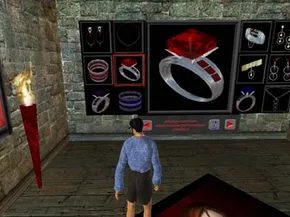
The entire financial engine of Second Life runs on the Linden dollar. It’s not just a game token. Residents trade it for real U.S. dollars through a currency exchange service. You can go either way. Buy Linden currency with cash, or sell it back for dollars.
The official hub for this is LindeX. Don’t expect a fixed rate. The value fluctuates. It acts like any other foreign exchange market.
The Changing Value of the Linden Dollar
History shows just how volatile this can be. In October 2007, the market favored the Linden dollar heavily. You needed about 267 Linden dollars to buy one U.S. dollar.
Fast forward to August 2021. The tide had turned. One U.S. dollar now bought 320 Linden dollars. That means a single Linden dollar was worth roughly $0.0031. Most in-world transactions still use the virtual currency, but the purchasing power has shifted dramatically over fourteen years.
Tilia Takes the Reins
The infrastructure behind the money changed in May 2020. Linden Lab announced that U.S. dollar transactions would be handled by Tilia, Inc. It sounds like an external takeover. It isn’t.
Tilia is actually a subsidiary of Linden Lab. They now process these financial flows for Second Life and other virtual worlds. They’ve expanded their reach. Upland uses their technology. Sansar, a VR environment, uses it too. Sansar was originally built by Linden Lab. In March 2020, they sold it to Wookey Projects. The tech transfer remained intact.
Becoming a Land Baron
Can you get rich in a virtual world? Yes. In 2006, Resident Ailin Graef became the first person to become a real millionaire through Second Life transactions. She didn’t sell trinkets. She dealt in real estate.
Graef bought land directly from Linden Lab. She developed it. She used creative, stylish themes to make the plots desirable. Then she rented or sold those plots to other residents. She became what some call a land baron. It wasn’t magic. It was speculation and design.
Real Cash for Real Estate
Not everything costs Linden dollars. Land sales and auctions usually demand real cash. If you want to own a piece of this digital earth, you have to open your wallet.
Buying your own land involves a setup fee. For a full region—an entire island—you pay $349 to set up. Then there is the monthly maintenance fee of $229. That cost buys you 65,536 square meters. You get to pick the terrain. You choose the location.
There’s a cheaper entry point too. A homestead costs $149 to set up. Monthly maintenance is $109. But there are limits. A homestead supports 5,000 prims. It holds no more than 20 avatars at a time. A full region allows up to 20,000 prims. It supports up to 100 avatars simultaneously.
The Cost of Space
Your land use fee is essentially rent for server space. The more land you claim, the more you pay. But premium members get a break. The monthly subscription fee includes 1,024 square meters of land at no extra charge.
Once you go beyond that free allowance, the fees scale up. As of August 2021, the range looked like this:
- $4 per month for up to 512 square meters of additional land
- $175 per month for up to 65,356 square meters of land
Linden Lab calculates this based on the maximum amount of land you own during any 30-day billing cycle.
Beyond the Avatar
The virtual world isn’t isolated. It’s bleeding into reality.
Second Life and the Real World

The idea that the internet’s next big leap would be into fully immersive 3D spaces wasn’t just hype. It felt inevitable. Second Life became the proving ground for that theory. People imagined navigating creative landscapes to find news, entertainment, and connection. Big organizations saw the potential early.
Over 100 companies set up shop there. Some bought entire islands. They hosted press conferences, concerts, and political rallies. Others used the platform to promote charities. It was a gold rush for digital real estate.
But not every strategy worked. Some companies dropped into Second Life with no clear plan. They built empty spaces. Just a big advertisement with no purpose. It backfired. No one wants to visit a ghost town.
Brands That Actually Contributed Content
Smart brands avoided the empty lot mistake. They focused on user participation. Coca-Cola ran a contest for virtual vending machine designs. The winner’s process was featured in a video. It wasn’t just a logo drop. It was interactive content. Coke understood that adding value was better than just buying attention.
Reebok took a similar route. They let users design shoes for their avatars. Then, they let those users buy the physical version of those designs. Real-world products inspired by virtual creativity. That’s a feedback loop, not just a billboard.
Starwood Hotels used the platform for R&D. They tested room and building designs with residents. Feedback from the virtual world informed real construction plans. It was low-risk prototyping.
Other companies even used Second Life for recruitment. They looked for residents who were skilled at creating user-generated content. If you could build in Second Life, you could probably build anything.
Security Woes and the Push for Proprietary Worlds
Despite the creative experiments, security experts kept sounding alarms. The virtual world wasn’t safe for sensitive business. Griefers could hack into private spaces. They could eavesdrop on confidential meetings or sabotage events.
Most companies treated Second Life as a marketing channel only. Not a meeting room. The risk of data leaks or public embarrassment was too high.
Some enterprises responded by building their own virtual environments. Private platforms offered controlled security. They stripped away the chaos of a public grid. It was a move toward safety over scale.
The Pandemic Boost and Shifting Competition
The COVID-19 pandemic changed the landscape again. Linden Lab reported a 30 to 40 percent boost to the Second Life economy during lockdowns. People needed connection. They needed escapism.
But Second Life wasn’t alone. Nintendo’s Animal Crossing: New Horizons became a cultural phenomenon. It offered a gentle, curated social retreat. Millions flocked there.
Fortnite, Minecraft, Among Us, and Roblox also captured massive audiences, especially younger players. The competition for virtual attention intensified. Second Life lost its monopoly on “the future of social gaming.”
Where Does Second Life Stand Today?
The initial hype has faded. But the service didn’t die. It settled. It has a dedicated subscriber base that stays for the deep social ties and creative tools.
Mark Zuckerberg and other tech leaders now talk about the “metaverse.” They promise a unified, immersive internet. Second Life, now nearing its 20th anniversary, is the closest thing we have to an actual working model of that vision.
It’s not perfect. It’s not user-friendly like a mobile app. But it proved the concept worked. People can live, work, and play in 3D spaces. The infrastructure is there. The question is whether the rest of the industry can build something that catches fire without requiring a physics engine tutorial to navigate.
Second Life FAQ
Is Second Life free?
Basic membership is free. You can create an avatar and explore. Premium memberships are optional. They offer private land, monthly stipends, and better support.
What can you do in Second Life?
You can attend concerts, press conferences, or college classes. You can buy land, shop for clothes, or teleport. You can also fly. Things you can’t do in real life are standard features.
Is Second Life safe for 13-year-olds?
It’s designed for adults. Users over 18 can access any public area. Users 16 and older can visit general areas. There are content guidelines and maturity ratings to help navigate this.
How do I put something on the marketplace in Second Life?
Go to a Marketplace page. Click “My Marketplace” in the top right. Select “Create a Store.” Read the Terms of Service carefully. Agree to the fees and policies. Click “Continue.” Your store is ready. You can start posting items.
Can you make real money on Second Life?
Yes. Residents cash out virtual currency. Anshe Chung (Ailin Graef) was the first real millionaire from the platform. It’s possible. It’s not easy. You need skill and persistence.