Splice has carved out a serious niche as a top-tier mobile video editing tool. It started by targeting iOS users hard, but the strategy worked. Now, it sits comfortably as a go-to for anyone wanting to turn raw smartphone footage into polished content. The app won a Gold Award in 2015 for best mobile app. That wasn’t just a fluke. It signaled that the team understood what people actually needed while on the move.
The interface is clean. It looks simple. But don’t let that fool you. Underneath that minimal surface lies a robust engine capable of handling complex cuts, smart transitions, and audio layering. It bridges the gap between “I just want to share this funny moment” and “I need a professional-looking cut for my vlog.”
How to Download Splice on iOS and Android
Getting the app is straightforward. You head to the App Store if you’re on an iPhone or iPad. If you are rocking an Android device, it is available on Google Play. The company pushed for broader compatibility in recent updates. This means you aren’t locked into the Apple ecosystem anymore.
Installation takes seconds. You tap download. You grant permissions for photo and video access. You are ready to cut. There is no technical hurdle here. It is designed to be frictionless.
There is no native desktop version. If you are looking for a Windows, macOS, or Linux version, you will hit a dead end. The philosophy is strictly mobile-first. Some people try to force it onto a PC using emulators like BlueStacks. It is not officially supported. The experience can be clunky. The stability is questionable. Stick to phones and tablets for the intended experience.
Splice Pricing and Premium Features
The free version is surprisingly generous. You can edit clips. You can add music. You can export videos for social media. For basic users, this is often enough.
But power users need more. The premium tier unlocks high-definition processing. It removes the watermark. It gives you full access to the internal music library, which is huge. This library contains royalty-free tracks and samples. That is a massive time-saver compared to hunting for copyright-safe music elsewhere.
Student discounts exist. Free trials are available for those who want to test the ropes. Prices fluctuate based on region and promotions. Check the official store pages for the latest numbers. The goal is to make the tool accessible without sacrificing the high-quality assets that justify the subscription.
Splice prioritizes speed and accessibility without sacrificing the advanced features that professional creators demand.
Why Mobile Editing Matters Now
The world is moving faster. People do not sit down at a desktop to edit a 30-second clip for TikTok. They do it between meetings. They do it on the commute. Splice understands this reality. The “nomadic” editing style is not a trend. It is the standard.
The app’s strength lies in its ability to mask complexity. You get smart transitions automatically. You get easy audio syncing. You get filters that actually look good. It allows amateurs to produce content that feels native to the platform. For vloggers, this is essential. It lowers the barrier to entry significantly.
Is it perfect? No tool is. But it remains a reference point in the market. It balances ease of use with raw power in a way that few competitors manage. If you are looking to streamline your post-production workflow on a phone, it is a strong contender.
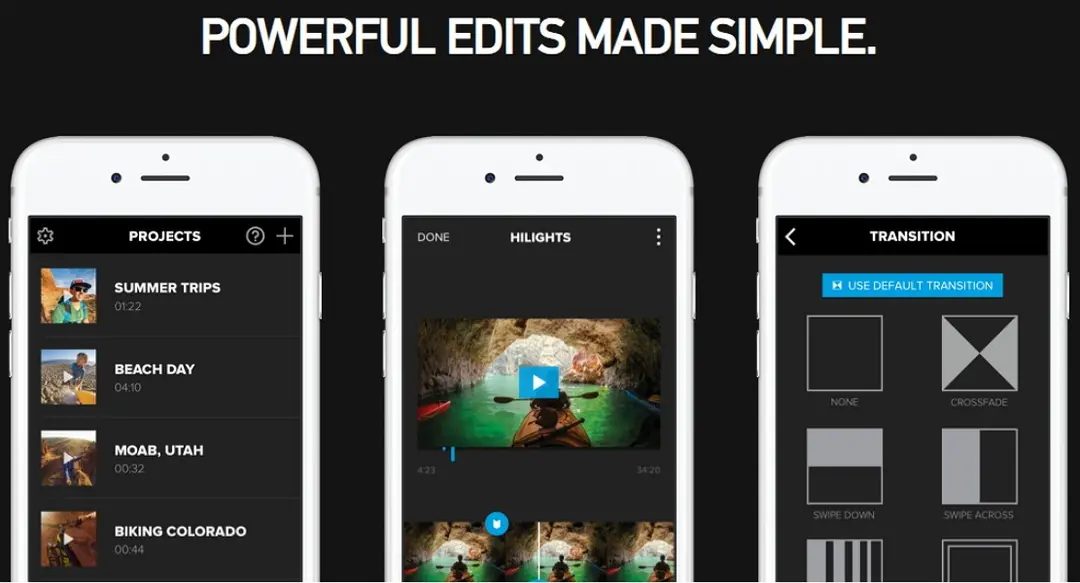
Splice isn’t just another mobile video editor. It sits apart from the crowd by offering features that actually matter for serious creators. While InShot, Adobe Premiere Rush, and Kinemaster have their places, Splice distinguishes itself with a refined approach to audio and precision.
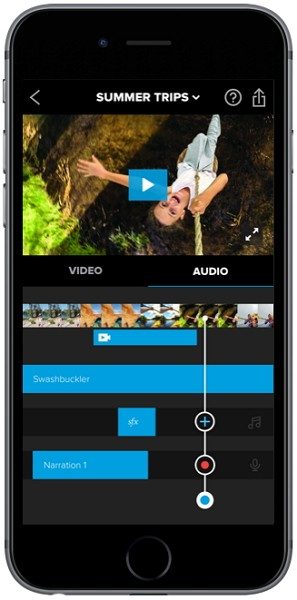
The standout capability is how it handles soundtracks. You can sync music and sound effects to the frame with exact timing. This is essential for dynamic edits or trailer-style cuts. You aren’t just dropping a track in. You are building a rhythm.
Transitions get a similar level of care. They are highly customizable, allowing for fluid, professional-looking sequences rather than the clunky, default wipes you see elsewhere. The built-in library backs this up with hundreds of royalty-free tracks and sound effects. No copyright strikes. No stress about licensing. Just straight-to-use assets.
The interface keeps things simple. Cutting, color adjustment, text overlays, and custom exports are all accessible without digging through nested menus. This efficiency is why influencers, marketers, and educators rely on it. When you have a campaign deadline or need to feed a social media feed, speed is everything.
Exporting directly to YouTube, Instagram, or Facebook cuts out the middleman. You edit, export, and post in one flow. The intermediate steps vanish. For content creators, that is a massive time saver.
Advanced Tools for Ambitious Editors
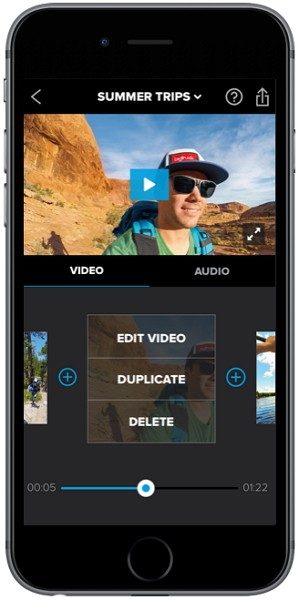
If you want to push beyond basic cuts, Splice offers advanced modes. Color grading gives you control over the mood and tone. Slow-motion effects and layering options expand what is possible on a phone screen.
These aren’t just gimmicks. They are actual professional techniques adapted for mobile. Users looking to learn these skills often find that Splice’s structure makes them easier to grasp.
The app’s ecosystem supports this growth. Official tutorials, webinars, forums, and certification programs are available. You aren’t left guessing. The resources are there to help you refine your craft.
Community-led training and partner certifications allow you to deepen your expertise. Structured learning helps build a portfolio that looks professional, whether for personal projects or client work. Some paid training paths even unlock advanced modules, giving you an edge in your editing workflow.
Updates, Version History, and Support
Splice updates frequently. The development team listens to user feedback and rolls out improvements regularly. Bug fixes, new features, and UI tweaks come through often.
To check for updates, go to the App Store or Google Play. If your version is behind, you can force a manual update from the store interface. This ensures stability and compatibility with the latest iOS and Android releases.
Rolling back to an older version is trickier. iOS blocks official retroversion. Apple’s policy is strict. On Android, you might install an older APK if you have the file, but this requires uninstalling the current version. It is risky. Security and compatibility issues often arise from using outdated builds.
Support is available when things go wrong. The customer service team handles technical issues, purchase restoration, and feature questions via online channels.
Helpful resources are scattered throughout the app and web. Documentation, video tutorials, and FAQs are readily accessible. For those who want a structured path, formal training options provide a clear roadmap.
The combination of robust tools, direct social sharing, and a supportive update cycle makes Splice a strong contender. It bridges the gap between casual editing and professional output.
Does it replace desktop software for everyone? Probably not. But for mobile-first creators, it removes enough friction to keep the creative flow intact. The learning curve is manageable. The results can look polished.
You keep working. The export button is always there. The next cut waits.
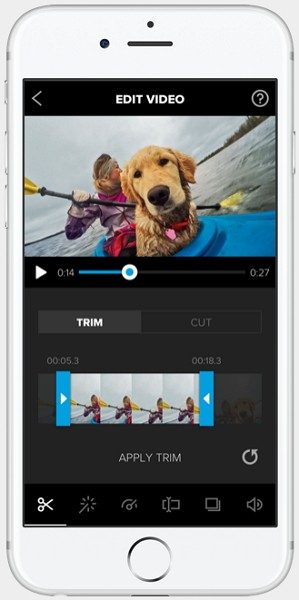
Mobile video editing has shifted from niche hobby to essential workflow. You don’t need a studio anymore. You just need a phone and the right app. Splice by Bending Spoons S.p.A. fits into that gap. It is not a pro-grade suite like Premiere or DaVinci. It is a mobile-first tool. The goal is speed and polish for social media. If you are looking for Splice mobile video editor specs, here is what you actually need to know before you download.
System Requirements and Compatibility
The app lives on mobile. It is not on Windows, macOS, or Linux. You need an iPhone or iPad, or an Android smartphone and tablet. Both come through their respective stores: Apple App Store or Google Play.
Hardware matters more than software version here. Recent devices handle the load better. The CPU and GPU drive export speeds. RAM limits how many layers you can stack. If your phone is older, you might see lag during playback.
The editor supports standard formats. Import MP4, MOV, JPG, PNG. Audio files like AAC and MP3 work if the codec is supported by the OS. Export defaults to MP4. It uses H.264 or H.265 encoding. Resolution matches your device’s capability. HD and UHD are possible if the hardware allows.
Internet connectivity plays a dual role. You need it for updates and downloading assets. But the core editing happens locally. You can work offline. Just not while fetching new music tracks from the library.
Permissions are standard. Access to photos and videos. Microphone for voiceovers. Storage for saving files. Manage these in system settings. The app asks for what it needs to function. Nothing overly invasive for this category.
Key Features and Workflow
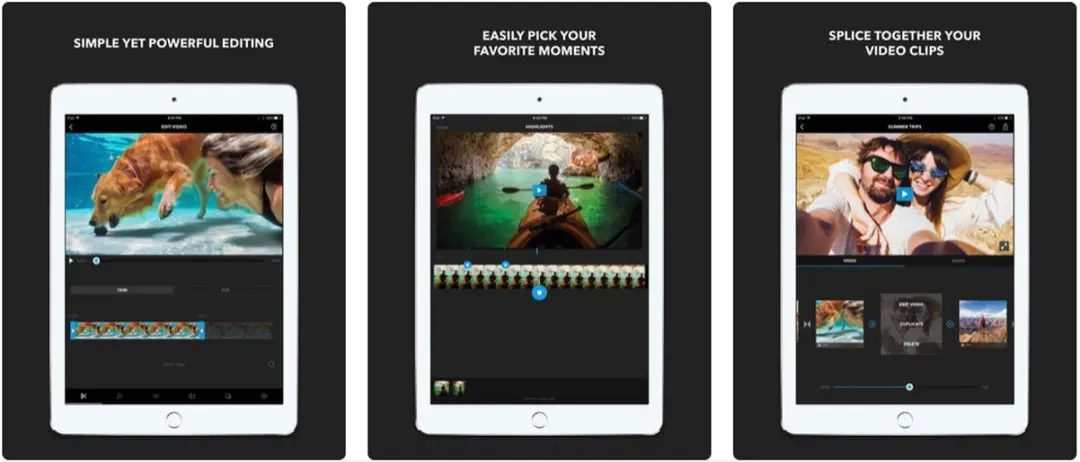
The interface is clean. Timeline editing is central. Cutting clips is straightforward. Transitions slide in smoothly. Titles and subtitles are easy to place. Color adjustments are accessible without digging through menus.
Speed control works well. Slow motion and acceleration are built-in. Overlays add depth. The royalty-free music library speeds up the process. You don’t hunt for tracks. They are there.
Sharing is direct. Optimize for social platforms. Framing and export settings adjust automatically. This saves time. You avoid manual resizing.
Audio handling is a standout. Level control is precise. Crossfades are clean. Syncing effects with video is accurate. This is where Splice shines. Many mobile editors choke on audio mixing. Splice handles it lightly but effectively.
Limitations and Pricing Model
It is freemium. Download it for free. Test the waters. But watermarks appear in exports. To remove them, you need a subscription. The library access expands with premium. Some advanced features lock behind the paywall.
The pricing varies by region. Check your local store for exact costs. The free tier is generous enough for beginners. It is not enough for heavy users.
There is no desktop version. This is a limitation for complex post-production chains. If you need advanced compositing, color grading, or multi-camera management, look elsewhere. Splice is simpler. It lacks depth in those areas.
Confidentiality follows industry norms. Media and microphone permissions are standard. Offline editing is possible. Cloud features require connection.
Who Should Use It?
Creators. Vloggers. Educators. Small marketing teams. Anyone producing content for social media. The workflow is short. The output is clean. It balances simplicity with functionality.
If you want complex pipelines, skip it. If you want quick, polished videos on a phone, it is a solid choice. The Splice mobile video editor handles daily tasks efficiently.
Performance depends on the device. Export quality follows hardware limits. Codec support varies. Check your phone’s specs before starting large projects.
The app is stable on recent devices. Play remains smooth with effects. It is reliable. Not revolutionary. But consistent.
For many, that is enough. We live in a world where content is currency. Speed matters. Polish matters. Splice delivers both. Just know its limits.
What happens when your phone upgrades? The app stays. The features remain. The cost might change. The workflow does not. You keep creating. That is the point.
The Silent Cost of Legacy Architecture
Most teams don’t realize they are bleeding money through technical debt until the bills arrive. It’s not just about the direct costs of maintenance. The real killer is the opportunity cost. Every hour spent patching old systems is an hour not spent building what actually moves the needle.
Why Refactoring Isn’t a “Nice-to-Have”
Refactoring gets a bad reputation as a theoretical exercise. Engineers talk about it in abstract terms. But look at the bottom line. When code is clean, deployment cycles shorten. Bugs decrease. The team moves faster.
Clean code isn’t just aesthetic. It’s economic.
Consider the difference between a monolithic application and a microservices architecture. Monoliths are easier to start. Harder to scale. As your user base grows, the monolith becomes a bottleneck. You spend more time managing dependencies than delivering features.
Microservices solve this. They allow independent scaling. One service can handle a traffic spike without crashing the whole app. The trade-off? Complexity. You need better monitoring. More infrastructure. A culture that accepts failure as part of the process.
The Hidden Risks of Skipping Debt Repayment
Skipping refactoring feels like progress. You ship features. Stakeholders are happy. For a while. Then the tech debt compounds. It’s like interest on a loan. Small payments at first. Eventually, the payment exceeds your monthly income.
This is where most startups fail. They prioritize speed over sustainability. The initial velocity is high. But the velocity drops as the codebase becomes a tangled mess. New hires take months to understand the system. Errors multiply.
How to Measure Technical Debt
You can’t fix what you can’t measure. Here are concrete metrics to watch:
- Code Coverage : Low coverage means fragile code. Tests will miss edge cases.
- Build Time : Long builds slow down developers. Frustration grows.
- Bug Rate : If bugs increase after a release, the code quality is declining.
- Cycle Time : How long from commit to production? Slow cycles indicate friction.
Practical Steps for Modernization
Start small. Don’t rewrite the entire system overnight. That’s a recipe for disaster. Instead, adopt the “Strangler Fig” pattern. Gradually replace specific functionalities with new services. Route traffic to the new system piece by piece.
This approach minimizes risk. You can roll back if something breaks. The old system remains as a fallback. It’s a controlled experiment. Not a leap of faith.
The Human Factor
Technology isn’t the only challenge. Culture matters. Engineers need psychological safety. They must feel free to suggest refactoring without being seen as blockers. Management needs to understand that slowing down now speeds up later.
This shift doesn’t happen overnight. It requires consistent messaging. Leadership must champion quality as much as speed. Otherwise, the cycle repeats. Ship fast. Pay later. Repeat.
The goal isn’t perfection. It’s maintainability. A system that can evolve with your business. Not one that drags you down.
Some companies choose to ignore this. They bet on growth outpacing decay. It works until it doesn’t. Then the pivot is painful. Expensive. Sometimes fatal.
The choice is yours. Build for today or build for tomorrow. The code you write today determines what you can do tomorrow.