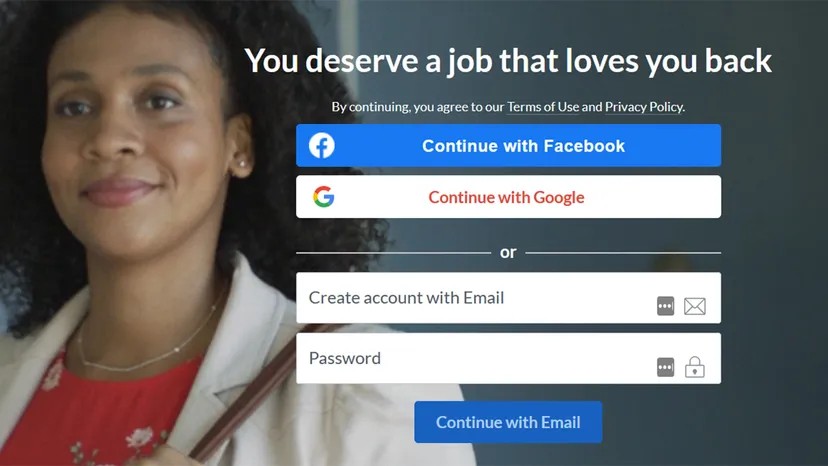
You are on a new website. The registration form is long. You hit a button that says “Sign in with Google.” It works. You are in.
This is single sign-on (SSO).
It is the default experience for the modern web. Most platforms offer it. Facebook, Google, Apple, LinkedIn, even Twitter. They all let you skip the password creation step. But should you?
The answer isn’t simple. It depends on what you value more: speed or control.
How Single Sign-On Actually Works
When you click that button, you aren’t just logging in. You are authorizing a data transfer.
The new site asks your social provider for permission to share specific details. Usually, this includes your name and email address. Sometimes, it grabs your profile picture.
In some cases, it pulls deeper data. Birthdates. Phone numbers. Location history.
Who decides what gets shared? It comes down to two policies. The policy of the app you are joining. And the policy of your main social account.
“Smaller apps and websites probably have less security than big social networks, so foregoing handing over a password and email address in favor of a social login could be a safer option.” — Paul Bischoff, Privacy Specialist at Comparitech
Before you click, look for a text box. It should list exactly what data is being exposed. If you don’t see it, assume the worst.
Why You Should Use Social Login
Time is the primary selling point.
Imagine filling out ten different forms. Name. Email. Phone. Address. Birthday. It is tedious. SSO skips this. It pulls your existing information and dumps it into the new account.
It also simplifies memory. You have hundreds of accounts. How many passwords do you actually remember? SSO acts as a master key. You log into Google once. You can access dozens of linked services without re-entering credentials.
Security is another factor. Smaller websites often have weak security. Big tech companies have massive security teams. If a small app asks for your password, you are trusting them with a secret. If they use SSO, you are only trusting them with an API key. They never see your actual social password.
There are functional benefits too. Dropbox can pull your Facebook photos directly into cloud storage. Zoom syncs with your Google Calendar. Slack imports your contacts.
You can do some of these things without SSO. But SSO makes them instant.
The Hidden Costs of Convenience
Convenience has a price. You lose control.
When you create an account manually, you decide what to share. With SSO, the app may take what it wants. You might agree to share your age and interests just to get into the app.
That data isn’t just for the app.
“Using a social login creates a network of sites that hold a shared identifier on you. That identifier can be used to create a shared advertising profile based on your activity on each of the sites.” — Dan Fritcher, CTO of Sysfi Cloud Services
This profile grows over time. It tracks your movements across the web. Who knows what it will be used for in five years?
There is also a trust issue. Big brands have privacy policies. Random sites may not. A site with no reputation might take your contact info and sell it to scammers. It happens.
SSO amplifies risk if your main account is compromised.
If a hacker phishes your Google password, they don’t just get your email. They get every service linked to that login. One breach. Many losses.
Service outages are another headache. If Facebook goes down, every app using Facebook login crashes with it. You are locked out of your own accounts because of a corporate server error.
How Major Platforms Handle Third-Party Data
Not all SSO providers are created equal.
Google
Google offers granular controls. You can review which apps have access to your account in your Google Account settings. You can revoke access instantly. They generally limit the data shared to what the app explicitly requests.
Facebook (Meta)
Facebook has tightened its policies after scandals like Cambridge Analytica. Apps must go through a rigorous review process to access user data. You can see exactly what permissions an app has requested. Meta allows you to see and remove connected apps.
Apple
Apple’s “Sign in with Apple” is designed for privacy. It allows you to hide your real email address by using a randomized, forward-only email. It also gives you the option to “Hide My Email.” Apple requires apps to disclose why they need data and gives users easy ways to revoke access.
Twitter (X)
Twitter’s integration is less transparent. While it provides SSO, the depth of data sharing and third-party tracking capabilities can be less clear than Apple or Google. Users should carefully review permission screens.
The Verdict
Single sign-on is a tool. It is not inherently good or bad.
It is fast. It is convenient. It can be more secure than using a weak password on a sketchy site.
But it creates a web of data sharing. It gives apps more information than you might intend to give. It ties your digital identity to a few giant corporations.
If you care about speed, use it.
If you care about privacy, be careful.
Check the permissions. Read the privacy policy. Revoke access when you no longer need the app. Your data is worth protecting.
When you click “Login with Facebook,” you aren’t just handing over a key. You are unlocking a door to your entire digital footprint. The companies offering Single Sign-On (SSO) have vastly different philosophies on what data is “necessary” to share with third-party apps. Some treat your privacy like a vault. Others treat it like a public bulletin board.
Here is how the big players actually handle your information when you use them as an identity provider.
Facebook’s Data Sharing Policy
Facebook’s default stance is aggressive. During an SSO initiation, the platform provides the third party with your name, email address, and profile photo. But that is just the tip of the iceberg.
The real exposure comes from Facebook’s “public profile” classification. This umbrella term covers everything on your profile that isn’t explicitly locked down. If it’s visible to friends, it’s likely visible to the app. We are talking about age, gender, birthdate, and relationship status. It extends to family details, hobbies, and even the devices you use.
Worse, Facebook can serve up your hometown, work history, education background, religion, and political leanings. The company collects extensive data and is notoriously willing to share it with partners, a fact highlighted by recent scandals and lawsuits.
However, you are not entirely powerless. Facebook’s privacy settings allow you to flag certain details as non-public. If you carefully curate what is public versus private, you can limit the bleed. But most users don’t.
Google’s Policy
Google takes a more segmented approach. At the minimum, the tech giant shares your name, email address, and profile photo. That is the baseline cost of entry.
But Google apps and third-party integrations often try to grab more. They may attempt to retrieve files, photos, messages, or calendar events stored in your Google Drive. The catch? They cannot do this by default. These services must specifically request permissions to access those deeper layers of your life. If you deny those requests, they get nothing. It is a clearer boundary than Facebook’s all-or-nothing public profile model.
Twitter’s Policy
Twitter’s SSO process is lean by design. Apps registered through Twitter are granted read-only access to specific data points: your screen name, profile photo, bio, general location, preferred language, and time zone.
The app can also view your tweet analytics, as well as your follower, mute, and block lists. Notably, Twitter does not share your email address during sign-on unless the app explicitly requests it and you grant permission.
This makes Twitter a surprisingly privacy-friendly option for some. If your social graph is mostly public anyway, there is less sensitive “private” data for an app to steal.
Apple’s Policy
Apple’s SSO process stands out for its user-centric design. It is unique among major providers. When the registry initiates, Apple shares your name and email. But users have control.
You can edit your name before it is sent. You can choose to hide your email entirely. Apple will then generate a dummy address that automatically forwards emails back to your real account. You can turn off this forwarding later if you want to cut ties and prevent spam.
Two-factor authentication is mandatory. Apple also claims it does not collect any data about your interaction with the app. This creates a buffer between your identity and the third party.
Apple appears to be one of the best services to use when it comes to SSO because it gives users the most control over what data is shared.
What to Do About SSO
If you plan on using single sign-on, you must be aware of what information gets carried over. You have a choice of companies. Go with the service that shares the least amount of data.
Based on data sharing and user control, Apple is arguably the safest bet. You do not need an Apple device to create an Apple ID. This makes it accessible to Android and Windows users who want better privacy controls.
Alternatively, some experts prefer Twitter. Bischoff, for example, notes that because almost everything on his Twitter account is public, there is not much more data an app can glean from him logging in with Twitter. It is a “nothing to hide” strategy. But not every app offers every sign-on option. You are often limited to what the developer has integrated.
Secure Alternatives to SSO
There is a better way to manage access without giving up your identity. Use a dedicated password manager like 1Password.
This program stores all your login data in an encrypted folder. The only way to access it is with a “master password” set by you. This master key is stored locally and offline. It is practically impossible for hackers to obtain this data without physical access to your computer.
Many web browsers also provide built-in password managers. They use their own methods of encryption, which is better than plain text but less robust than a dedicated third-party tool.
Security Basics
Beef up your social media security. Enable two-factor authentication (2FA). This generates a temporary passcode sent to your personal email or phone number.
It is one of the quickest and most effective methods to prevent unwanted online access. It also protects your single sign-on accounts. If someone steals your password, they still cannot get in without that second factor.
The most secure practice remains creating unique passwords for every service you use. It is tedious. It is annoying. But it works. Use an encrypted password manager to keep track of them all. Stop trying to remember things. Start managing them.