Wireless Lab, a Russian developer, didn’t just build another photo editor. They built a mirror that lies beautifully. FaceApp has carved out a dominant niche in mobile portrait editing, leveraging sophisticated machine learning models to warp reality in ways that feel startlingly natural. You upload a selfie. The app identifies facial landmarks. It then rewrites your appearance based on deep learning algorithms trained on vast datasets of human features. The result? A plausible older version of you, a sudden smile, or hair that shifts from black to platinum in seconds. This isn’t just filtering. It is generative manipulation, and it drove the app to viral fame across social media platforms.
The magic lies in its invisibility. Traditional photo editors require you to know which brush to use, how to mask skin, or how to dodge and burn. FaceApp removes the technical barrier entirely. You don’t need graphology skills. You just need a face. The background AI processes the image, preserving lighting and texture while injecting the requested changes. Whether you are aging yourself for a joke or smoothing out a breakout for a LinkedIn profile, the output maintains a photorealistic credibility that cheap filters cannot match.
Core Features and Viral Effects
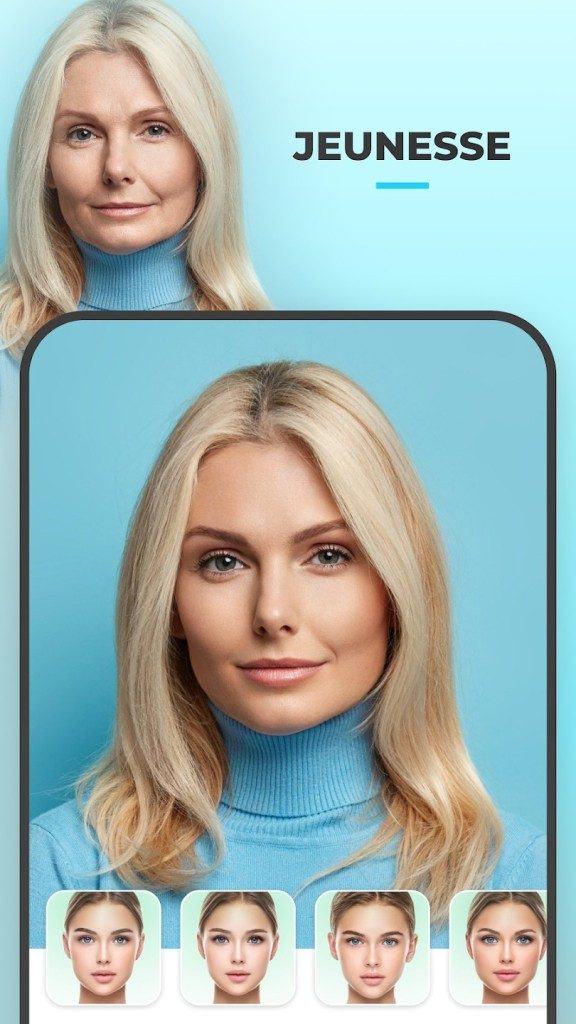
The app’s explosion in popularity wasn’t accidental. It hinged on specific, emotionally charged features. The aging filter was the catalyst. Users posted side-by-side comparisons of their current selves versus their “old” selves, sparking conversations about mortality, appearance, and identity. This single feature turned a utility app into a social phenomenon.
Beyond aging, the toolset is extensive. You can:
– Gender swap portraits, creating realistic male or female versions of yourself.
– Change hair color or style, testing looks without a salon visit.
– Apply makeup digitally, adjusting intensity to suit different social contexts.
– Modify expressions, turning a neutral face into a genuine smile or a serious gaze.
– Enhance skin automatically, reducing blemishes and adjusting brightness for a polished look.
These tools blur the line between fun and professional utility. The same AI that helps you laugh at your wrinkles can help you present a flawless version of yourself to the world.
Installation and Compatibility on Mobile Devices
Getting FaceApp running is straightforward, but your device matters. The app is exclusively designed for mobile operating systems. It is not natively available for Windows, macOS, or Linux desktop environments. If you are on a PC, you are out of luck unless you resort to workarounds.
For iOS Users:
1. Open the App Store.
2. Search for “FaceApp.”
3. Select the app published by FaceApp Technology Limited.
4. Tap “Get” to install.
For Android Users:
1. Open the Google Play Store.
2. Search for “FaceApp.”
3. Choose the official listing by FaceApp Technology Limited.
4. Tap “Install.”
The installation process is standard. However, be aware that the free version includes a significant number of features and filters. It is sufficient for casual users who want to experiment with basic transformations. If you need premium filters or higher resolution exports, you will likely hit a paywall.
The Desktop Workaround and Update Cycle
Since FaceApp lacks a native desktop client, many users ask how to use it on a computer. The only viable method is through an Android emulator like BlueStacks or Nox Player. These programs simulate an Android environment on your Windows or Mac machine. You can install the APK file and run FaceApp as if you were on a phone.
There are downsides to this approach. Emulators demand significant system resources. On older PCs, performance may lag, and touch gestures mapped to mouse clicks can feel clunky. It is not the recommended experience.
Regarding software updates, FaceApp is frequently patched. Developers push updates to fix bugs, enhance AI accuracy, and introduce new effects. Both iOS and Android stores manage these updates automatically. You generally won’t find an “old version” to download. The app stores only host the latest, most secure build. To update manually, visit your respective store, search for the app, and tap “Update” if a newer version is flagged. This ensures you have the most advanced facial recognition capabilities available, keeping the transformations realistic and the security robust.
The technology is advancing faster than the average user’s understanding. We upload our faces into black-box algorithms that decide what we look like when we are old, young, or different. The ease of transformation makes it fun, but it also raises questions about the authenticity of our digital identities. For now, the results are convincing. The filter works. The image stays.
AI Face Transformation: How FaceApp Stands Out from Competitors
FaceApp isn’t trying to be another Instagram filter. It occupies a strange, specific niche in the photo editing universe. The app focuses on rapid, automated facial transformations powered by artificial intelligence. Yes, it shares basic DNA with Snapchat or Photoshop Express. You get artistic filters. You get brightness adjustments. You get skin smoothing. These are standard features. They are the baseline for any modern mobile editing tool.
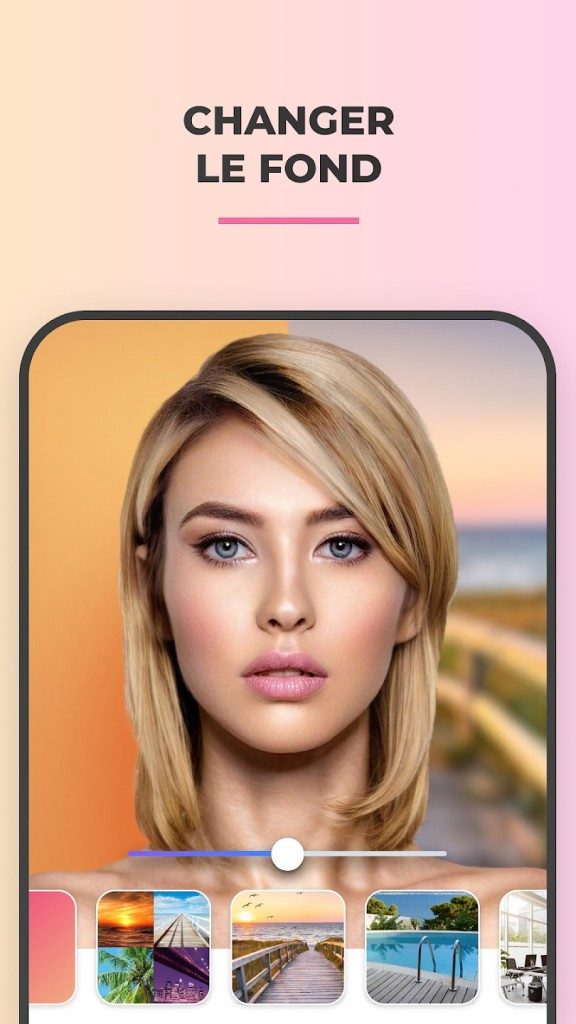
But here is where the comparison breaks down. FaceApp doesn’t stop at surface-level aesthetics. It digs deeper. It performs morphological edits that other apps simply don’t attempt. You can alter apparent gender. You can overlay realistic elements like glasses, beards, or specific hairstyles. You can age yourself. And the kicker? The results look photorealistic. They don’t look like cartoonish stickers slapped over your face.
Most competitors stick to reversible, playful edits. They want you to have fun for a minute, then move on. FaceApp offers something more elaborate. It relies on intelligent analysis of facial features. The rendering is surprisingly fine. Users notice the coherence. Even when the changes are extreme, the output holds together. It’s rare to get this level of naturalness from a standard beauty camera app. That’s why it works for both quick amusement and serious portrait creation. No technical skills required.
Let’s be clear about what it isn’t. FaceApp is not Adobe Photoshop. It’s not GIMP. It won’t help you compose complex multi-layer images or perform advanced color grading. It fills a different gap. It’s a mobile solution for instant portrait transformation. Simple. Intuitive. Powered by algorithms that do the heavy lifting. This accessibility explains its broad appeal. From casual users to content creators who need polished results without a learning curve, the tool fits right in.
Pricing, Privacy, and the Cost of AI Edits
The app operates on a freemium model. You can download it for free. Basic filters and modification options are accessible without paying a cent. This free tier lets you explore the core functionality. But if you want the advanced transformations, batch processing, or premium filters, you need a license.
The subscription structure is flexible. You can pay monthly. Annually. Or buy a lifetime license in some regions. Prices fluctuate based on promotions, but the company generally keeps it accessible. The trade-off is clear. A paid subscription removes ads. It grants unlimited access to the full suite of filters. It unlocks the more sophisticated AI models.
Data privacy is the elephant in the room with any app handling personal photos. FaceApp stores processed images on its servers. This is necessary. The AI models need the data to apply the filters. The developers insist the photos aren’t used for other purposes. They claim they aren’t shared with third parties. If you’re worried, you can check the detailed privacy policy. It’s linked directly in the app and on their official site. As with any mobile app, pay attention to the permissions you grant during installation.
There’s no certification for using FaceApp. No official training program. The interface is designed to be intuitive. If you need help, look at YouTube or specialized forums. Users share tips and tricks there. This lack of barriers to entry is part of the strategy. It democratizes the tool. It spreads the reach of AI image manipulation from tech enthusiasts to the general public.
The landscape is evolving. New filters appear. Technical improvements are rolled out regularly. Customization options expand. For now, downloading FaceApp on Android or iOS remains the simplest way to test these capabilities. You just need a photo and a willingness to see what the algorithm can do.

How FaceApp’s Server-Side AI Changes the Game
Most photo editors run locally on your phone. FaceApp does not. It is built on a model where the heavy lifting happens elsewhere. The app itself is just a window. You snap a photo or pick one from your library. Then your device sends that image to FaceApp Technology Limited’s servers. There, machine learning models analyze facial structures. They map points. They generate changes.
This is why you need a stable internet connection. Without it, most filters simply will not load. The processing happens in the cloud. Your phone captures the data, but the cloud builds the result. Temporary storage of your image is standard here. Once the edit is rendered, it is sent back to your gallery.
Technical Requirements and Compatibility
You do not need a supercomputer to run FaceApp. The hardware demands are modest. A recent smartphone or tablet handles the interface fine. However, speed varies. A faster device and a stronger network mean less waiting. The app size changes depending on what resources are already installed on your terminal.
The distribution is strict. You cannot download FaceApp from a random website. It is exclusive to the Google Play Store and Apple App Store. This keeps the installer intact and updates standard. If you are looking for a desktop version, you are out of luck. There is no native executable for Windows, macOS, or Linux. Some users try Android emulators on PC. It works in theory. In practice, you may face performance hits and compatibility glitches. Do not expect it to feel like the native mobile experience.
The Business Model and Permissions
FaceApp uses a freemium structure. You can download it for free. But the core magic often requires payment. In-app purchases and optional subscriptions unlock the premium filters. Ads may appear if you stick to the free tier. There is no fixed version lock. The ecosystem evolves with updates, not major releases.
When you install it, you grant specific permissions. The app needs access to your camera. It needs read/write access to your photos and storage. And, of course, network access. These are typical for this category of photo retouching and AI portrait transformation. The app supports multiple languages, including French and English, but the underlying tech is universal. Support is handled through in-app help and online documentation on the official site or app stores.
Why This Architecture Matters
The server-side approach explains the quality. Your phone’s processor does not have to strain to generate realistic aging or gender-swapping effects. The AI models on the server are likely more complex than anything that fits on a device. This allows for higher fidelity results. But it also means your data travels.
The trade-off is clear: you get advanced AI effects without needing top-tier hardware, but you rely entirely on the provider’s server infrastructure.
This also dictates the user experience. If the server is busy, you wait. If your signal drops, the edit fails. It is not a local tool. It is a connected service. Understanding this helps manage expectations. You are not just editing a photo. You are submitting it for processing.




The Hidden Cost of “Free” Software
You think you’re getting a deal. You download the installer. You click “Next” three times. The software launches. It works. But something feels off. The ads are aggressive. Your browser homepage changes. Your search results are… polluted.
This is the fine print of freeware. It’s not just a license agreement you skipped. It’s the business model.
Why Developers Give It Away
Developers need to eat. They need servers. They need to pay the electric bill. If they aren’t charging you directly, someone else is.
“The product isn’t the software. You are.”
That’s the old adage. It applies here with brutal accuracy. Your attention, your data, your screen real estate—they’re all commodities.
Look at the recent surge in ad-supported productivity tools. Free note-taking apps that show banner ads in the sidebar. Free PDF converters that inject watermarks. These aren’t bugs. They’re features. Designed to monetize your workflow.
The Privacy Trade-off
You traded money for convenience. Now you’re paying with data.
Consider the “free” antivirus scan. It promises protection. It scans your files. What it doesn’t tell you is what it does with the metadata. User behavior patterns. Device fingerprints. Location tags.
Why does this matter? Because that data gets sold. Bundled. Aggregated.
You might not care about a single data point. But aggregated? It’s a profile. A digital twin. And that twin is valuable.
How to Spot the Trap
Not all freeware is bad. Some is genuinely generous. Open-source projects. Community-supported tools. But you have to look closer.
Check the bundle installer. That’s where the trouble hides. Pre-checked boxes for toolbars. Default browser settings. Hidden utilities running in the background.
Use a package manager. Linux users know this. Windows and macOS users are catching on. Tools like Homebrew or Scoop strip away the bloat. They fetch the core app. No extras. No surprises.
The Real Cost of Free
It’s not just time. It’s security.
Ad-supported software often relies on third-party ad networks. Those networks get hacked. Often. Malware injects itself into the ads. You click. You’re infected.
It’s a supply chain attack. You didn’t download malware. The ad did.
Is it worth it? For a one-off tool? Maybe. For daily use? Think again.
The cost isn’t always monetary. It’s friction. It’s distrust. It’s the slow creep of surveillance into your daily digital life.
We built the internet on openness. Now it’s walled gardens and subscription traps. The middle ground is disappearing.
What are you willing to trade?