Your browser knows too much. You search for flights to Paris on Tuesday. By Wednesday, your social media feed is stuffed with ads for French luggage. It feels like a violation. So you click the incognito button. You think you are hiding. You are not.
Incognito mode is a tool, not a shield. It stops your laptop from remembering where you went. It does not stop the websites from seeing you. It does not stop your internet service provider. It does not stop your employer.
“Private browsing mode does well with protecting activity from other users on a shared device,” says Seth Schoen from the Electronic Frontier Foundation. “It sometimes partly addresses tracking by websites and ad networks. And it has absolutely no effect on what your internet service provider sees.”
Browser developers try to make this clear. Users keep missing the point.
What Incognito Mode Actually Does
When you open an incognito window in Chrome, Firefox, Safari, or Edge, you create a temporary session. The browser does not save your history. It does not store cookies. It clears site data when you close the tab.
This is useful. It keeps your local device clean. It stops the person using your computer from seeing what you looked up. It is great for buying a surprise gift. It is good for checking a private account on a shared laptop.
But it is not anonymous.
Bookmarks are saved. Downloads are kept. If you log into a website, that site knows it is you. Your history on that site is tracked just like always. The incognito window just doesn’t leave a footprint on your hard drive.
How to Open an Incognito Window
The feature name changes by browser. Chrome calls it Incognito. Firefox calls it Private Browsing. Safari calls it Private Browsing. Edge calls it InPrivate. The mechanics are similar.
In Chrome:
– Click the three vertical dots to the right of the address bar.
– Select New Incognito tab.
– A new window opens with a dark icon in the center.
Keyboard shortcut:
– Press Control+Shift+N on Windows or Linux.
– Press Command+Shift+N on Mac.
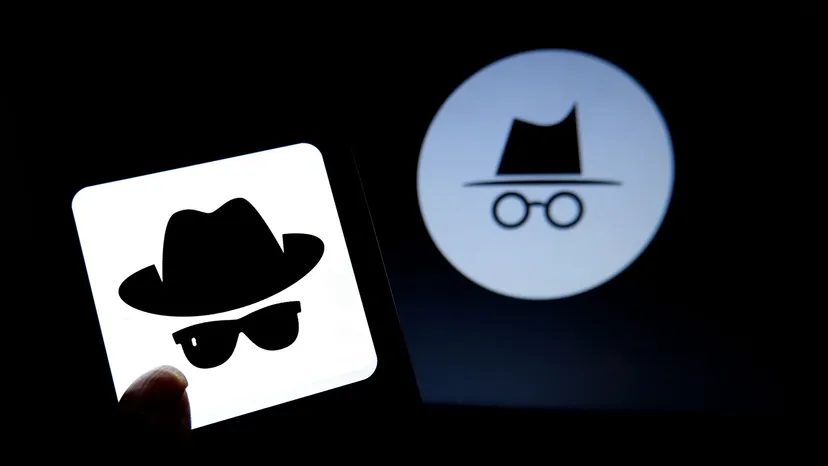
You know you are in the mode by the icon. It is usually a hat and glasses in Chrome. It is a masked figure in Firefox. It is a tuxedo in Safari. The icon tells you the browser is not saving your local history.
Who Can Still See You
Incognito mode offers zero protection against external tracking. Your ISP sees every request. Your employer sees every request if you are on their network. The websites you visit see you. They can fingerprint your browser. They can link your activity across sessions.
This is why privacy is often confused. People think incognito hides them from the web. It does not. It hides them from their own device.
The EFF’s Schoen notes that browser developers have tried to clarify this. They put warnings in the interface. They change the icons. They add text. Users still click the button and assume anonymity. They get shocked when ads follow them. They get surprised when their school logs their activity.
Why This Matters
You need to know the difference between local privacy and network privacy. Incognito handles the first. It fails at the second.
If you want to hide from your ISP, you need a VPN or Tor. If you want to hide from websites, you need ad blockers and anti-fingerprinting tools. Incognito does none of that
What Private Browsing Actually Hides
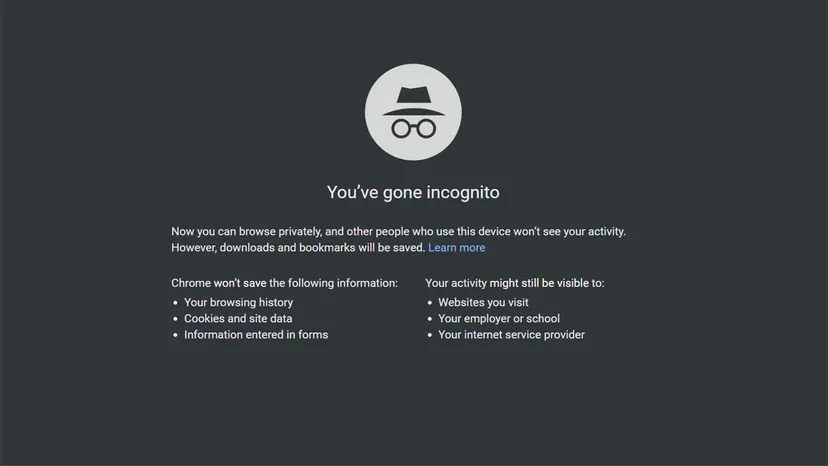
When you toggle on Incognito mode, you aren’t just hiding from your spouse or roommates. The browser stops saving specific data points locally on your device. It wipes your browsing history. It drops cookies and site data. It leaves form information behind, too.
But here is the catch. Downloads and bookmarks survive the session. They stick around.
So, what stays hidden? Your URLs. Your search queries. Your activity logs. This setup is useful when you need to look for a surprise gift or browse sensitive topics without leaving a trail on a shared computer. The local footprint shrinks to near zero.
Yet, the illusion of total secrecy is dangerous. Your internet service provider (ISP) still sees everything. So does your employer. Schools track you too. The websites you visit? They know exactly who you are if you log in.
Cookies are the main culprit for long-term tracking. These small data files remember your passwords. They also feed advertising networks with data about your habits across different sites.
“The original design of web tracking features like cookies was based around the expectation that tracking would be within individual sites only… Both of these norms have been violated massively by the internet advertising industry,” says Schoen.
Private mode breaks that cycle. It disconnects your current session from the profile advertisers have built. For that session, at least.
You Are Not Invisible
Incognito mode is not anonymity. It is a temporary shield, not a cloak of invisibility.
Many people mistake this feature for a superpower. A 2018 study revealed just how common this misconception is. Fifty-six percent of respondents believed search queries were not saved in private mode, even when logged into their accounts. Forty percent thought their location data was hidden. Another 27 percent believed it offered protection against malware and viruses.
None of these beliefs are true.
If you are logged into Google, Google tracks your search patterns regardless of Incognito mode. Your geolocation remains visible to the sites you visit. Your ISP sees the connections you make.
This misunderstanding is risky. Users often rely on Incognito for security it simply does not provide. It does not encrypt your traffic. It does not stop network administrators from monitoring your activity.
When to Use It (And When Not To)
Despite the limitations, private browsing has valid use cases. It prevents local users from seeing your history. It can help you bypass certain paywalls on subscriber-only news sites.
It also reduces algorithmic bias. By not using cookies, you avoid the filtering that tailors search results to your past behavior. This gives you a fresher, less skewed view of information.
It stops annoying cross-site tracking. If a friend needs to check Facebook on your device, they can use Incognito. They log in to their account without logging you out first. It is a practical tool for shared devices.
Beyond Incognito: Seeking Real Anonymity
If you need true anonymity, Incognito is not enough. You need tools that route your communications through intermediaries.
Virtual Private Networks (VPNs) and Tor are the most accessible options. They decrease what your ISP knows about your activity. They also obscure your location from the websites you visit.
But these tools are not magic. They come with their own myths and technical limitations. Who sees what data depends on the specific configuration and provider. You cannot just trust them blindly.
Schoen advises users to become familiar with the technical details before relying on these privacy technologies. There is no single solution that makes you completely invisible online.
Research is necessary. You must understand the trade-offs. This journey toward better privacy protects both your personal and professional life. The internet is full of pitfalls. Knowing how to navigate them requires more than just clicking an icon.
Frequently Asked Questions
Does incognito mode prevent viruses or malware?
No. It only stops the browser from storing history and cookies locally. It offers no security against malicious software.
Can network administrators see my incognito activity?
Yes. Incognito mode does not encrypt your traffic. Network admins can still track your browsing activity.