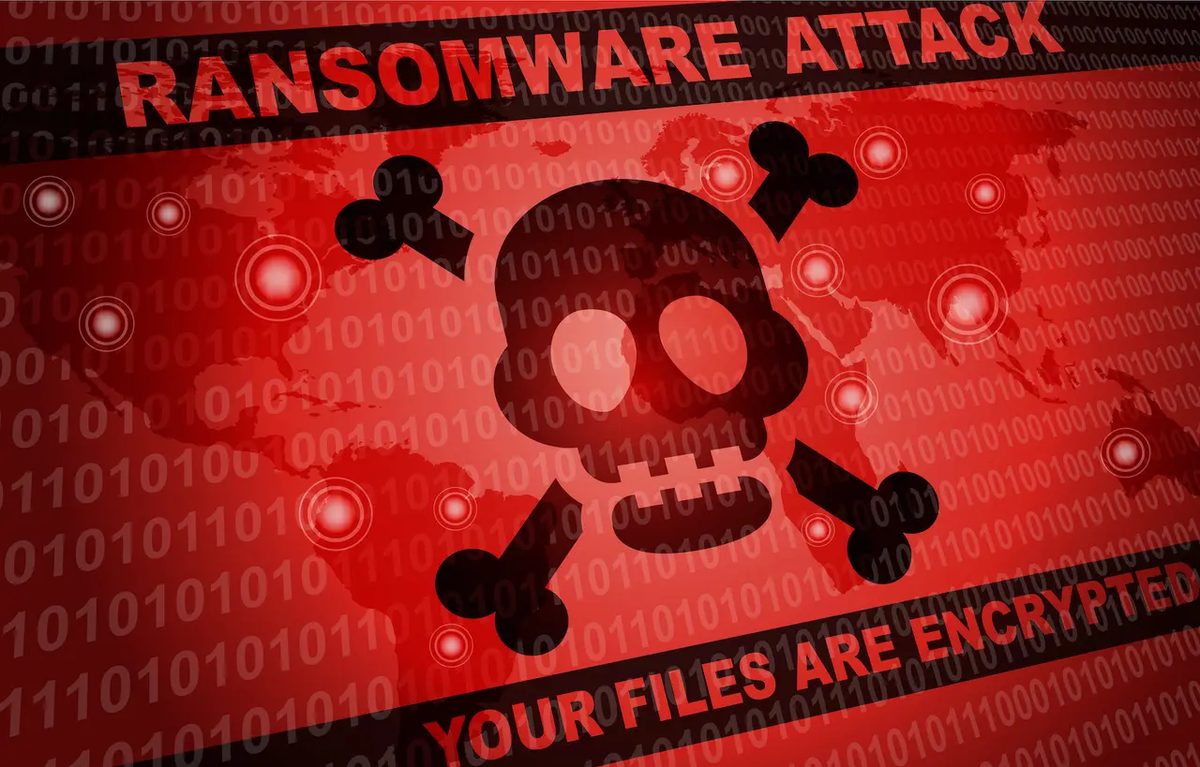
Ransomware, or “rançongiciel” in French, is the digital equivalent of a hostage situation. It locks your computer or phone. It encrypts your personal data. The goal? Money.
You pay, they promise to unlock the system or hand over the decryption key. Most of the time, it’s a lie. But the mechanism is simple. It’s malware designed to extort cash by holding your digital life for ransom.
This isn’t just a nuisance. It’s a booming industry.
The Rise of Cybercriminal Profit
The growth is staggering. Symantec reported an 113% annual increase in ransomware incidents way back in 2014. That’s old news in cybersecurity years.
Look at the data from the French National Agency for the Security of Information Systems (ANSSI). Between 2019 and 2020, attacks surged by 255%.
Why the spike? Hackers are getting organized. They aren’t just throwing darts at a board anymore. They anticipate targets. They prepare.
“Hackers now prepare in advance to target important institutions or companies to demand extremely high ransoms.”
The stakes have risen. It’s no longer just about locking a laptop. It’s about crippling entire organizations.
Double Extortion: The New Normal
The ANSSI highlights a terrifying evolution: double extortion.
Traditional ransomware encrypts your files. You lose access to your work. You pay to get it back.
Double extortion adds a second layer of threat. If you don’t pay, hackers don’t just keep your files encrypted. They leak them. Publicly.
This changes the calculus for victims. Even if you have backups, the reputational damage from a data breach is catastrophic. The pressure is immense.
The payout reflects this leverage. We’re talking about hundreds of thousands of euros. Sometimes a full million.
Where does that money go? It pays the hackers. But it also serves as “investment funds.” Hackers use the profits to build more sophisticated malware. The cycle feeds itself.
How These Attacks Spread
The delivery methods haven’t changed much. They still look like legitimate emails.
You get a message with an attachment. Or a link to a compromised website. Click either, and you’re in.
Some ransomware variants, like the infamous CryptoLocker, focus purely on encryption. They scramble your data so you can’t open it.
Others are more invasive. They execute applications that modify the operating system’s registry. This locks the entire machine. You can’t even boot up properly.
Who Gets Hit?
Everyone. But some sectors bleed harder than others.
Enterprises and institutions are prime targets. Local governments. Healthcare facilities. Public sector bodies.
The impact is immediate and severe. Operations halt. Activity stops. Financial losses mount quickly.
For tech companies in the digital sector, the damage goes deeper. Credibility evaporates. Clients leave. Trust, once broken, is hard to rebuild.
But don’t think you’re safe because you’re a small business or an individual. You’re not.
Malignant actors cast a wide net. If your data has value, or if your systems can be leveraged for further attacks, you’re a target. The defense isn’t about being too big to fail. It’s about being too hard to crack.
We tend to assume that ransomware is a PC problem. It’s not. Your phone and tablet are fair game, too.
The threat vector is different, but the outcome is the same. Your files vanish. They get encrypted. You get a bill for Bitcoin or PayPal transfer to get them back.
On mobile, these attacks hide in plain sight. They don’t need sophisticated exploits. They just need you to download the wrong thing.
The trap of unofficial apps
Android users are particularly vulnerable here. Why? Because the ecosystem allows sideloading more easily than iOS. But even on iOS, if you jailbreak or use enterprise certificates, you’re exposed.
Ransomware often masquerades as utility apps. Fake antivirus software. Pornographic streaming apps. Things you wouldn’t normally find on the official Play Store or App Store.
Take the CryCryptor example from Canada.
It wasn’t buried in a shady APK. It was disguised as a legitimate COVID-19 contact tracing app. You download it for the public good. You launch it. And suddenly, your photos, contacts, and documents are locked behind an encryption key.
The malware activates on install. It doesn’t wait. It encrypts the device’s storage almost instantly.
This isn’t just about stolen data. It’s about held hostage. The attackers don’t just want your password. They want your access.
Web-based extortion and fear tactics
You don’t always need to download an app to get infected. Sometimes, the browser is the weapon.
Hackers create fake landing pages. They promise pirated movies. Or adult content. They prey on impulse. But the real trap isn’t the file you click.
It’s the pop-up.
The screen goes black. Or red. A message appears claiming to be from a government agency. The FBI. Hadopi. The local police.
The message says you’ve been caught. Downloading illegal content. Violating copyright. Possessing illegal material.
The claim is absurd. But it’s designed to trigger panic.
You’re told to pay a “fine” immediately. The payment methods are specific. SMS subscriptions with premium rates. Direct bank transfers. Or services like PayPal.
This is social engineering at its most basic. No code execution. No zero-day exploit. Just psychological manipulation.
If you pay, you’re marking yourself as an easy target. Next time, they’ll ask for more. Or they’ll sell your phone number to scammers.
How to actually protect yourself
There is no perfect security. There is only risk management.
You can’t eliminate every threat. But you can close the most obvious doors.
1. Stop falling for phishing
Phishing isn’t just email. It’s SMS (smishing). It’s fake websites. It’s push notifications.
The key is verification. If you get a message from your bank, or the tax office, do not click the link.
Open the official app. Log in yourself. Check your messages there.
If the message contains a link to a login page, it’s almost certainly fake. Legitimate services rarely send direct login links via SMS or casual emails.
2. Strengthen your authentication
Weak passwords are the easiest entry point.
If you use “password123” or your birthday, you’re done. Automated tools can crack that in seconds.
Use unique passwords for every account. A password manager is non-negotiable for serious protection. It generates random, complex strings. You only need to remember one master password.
Enable two-factor authentication (2FA) everywhere. Not SMS-based 2FA if you can help it. Use an authenticator app or a hardware key. SMS can be intercepted via SIM swapping.
3. Use security tools, but don’t trust them blindly
A firewall, antivirus, and VPN are baseline requirements.
They don’t make you invisible. They just raise the cost of entry for attackers.
A VPN encrypts your traffic on public Wi-Fi. That’s crucial. You don’t want your ISP or the coffee shop owner seeing what you’re doing.
Antivirus on mobile is less about scanning and more about behavioral analysis. It watches for apps acting strangely. Like a flashlight app trying to access your contacts.
4. Education is the best firewall
In a corporate environment, training stops attacks before they start.
For individuals, awareness is just as important.
Understand the terminology. Ransomware. CryptoLocker. Phishing. Spear phishing.
When you know how the attack works, you’re less likely to fall for it. You’ll spot the urgency. The fear tactics. The unnatural requests.
The reality of mobile security
We