I thought I knew my Apple Watch. I wear one every day. I run almost as much. I figured I had mastered the interface. I was wrong.
A recent crash course with Apple for the San Francisco Marathon revealed gaps in my knowledge. Some features have been hiding in plain sight. Others are exclusive to the pricier Ultra models. Here is what I’m adding to my routine.
Create Custom Workouts Without Memorizing Intervals
Remembering complex interval sets is stressful. You get distracted. Your pacing suffers. Custom Workouts on the Apple Watch solve this by turning your wrist into a coach.
You don’t build these on the watch itself. Open the Fitness app on your iPhone. Tap the Workouts tab. Select Running. Hit the timer icon. Choose Custom Workout. Then tap the plus sign at the bottom.
Give it a name. Add an emoji if it helps you find it later. Now, build the structure. I started with two minutes of warm-up drills. You can add segments based on time, distance, or even heart rate zones.
Need to repeat an interval sequence? You can do that too. No need to re-create every single part. Finish with a cooldown. When you’re done, it syncs.
Next time you lace up, tap the timer icon on the watch. Select your custom workout. Go. The watch buzzes when it’s time to switch segments. You focus on running. It handles the timing.
Use Pacer to Stop Negative Splitting
We have all done it. You start a race too fast. Adrenaline spikes. You burn out halfway through. Pacer helps you stick to a goal.
From the Running workout screen, tap the timer. Scroll down to Pacer. Hit the plus button. Enter your race distance and your goal finish time. The Apple Watch does the math. It calculates the exact pace you need.
Go back to the timer menu during your run. Select your Pacer plan. The screen changes. A progress bar replaces your standard stats. It shows if you are ahead or behind.
Green means you’re faster than target. Red means you’re lagging. The middle is the sweet spot. You can still swipe to see heart rate and GPS data. But the bar keeps you honest.
Race Against Yourself on Familiar Routes
New runners often stick to familiar loops. Why? Comfort. Safety. Boredom? Maybe.
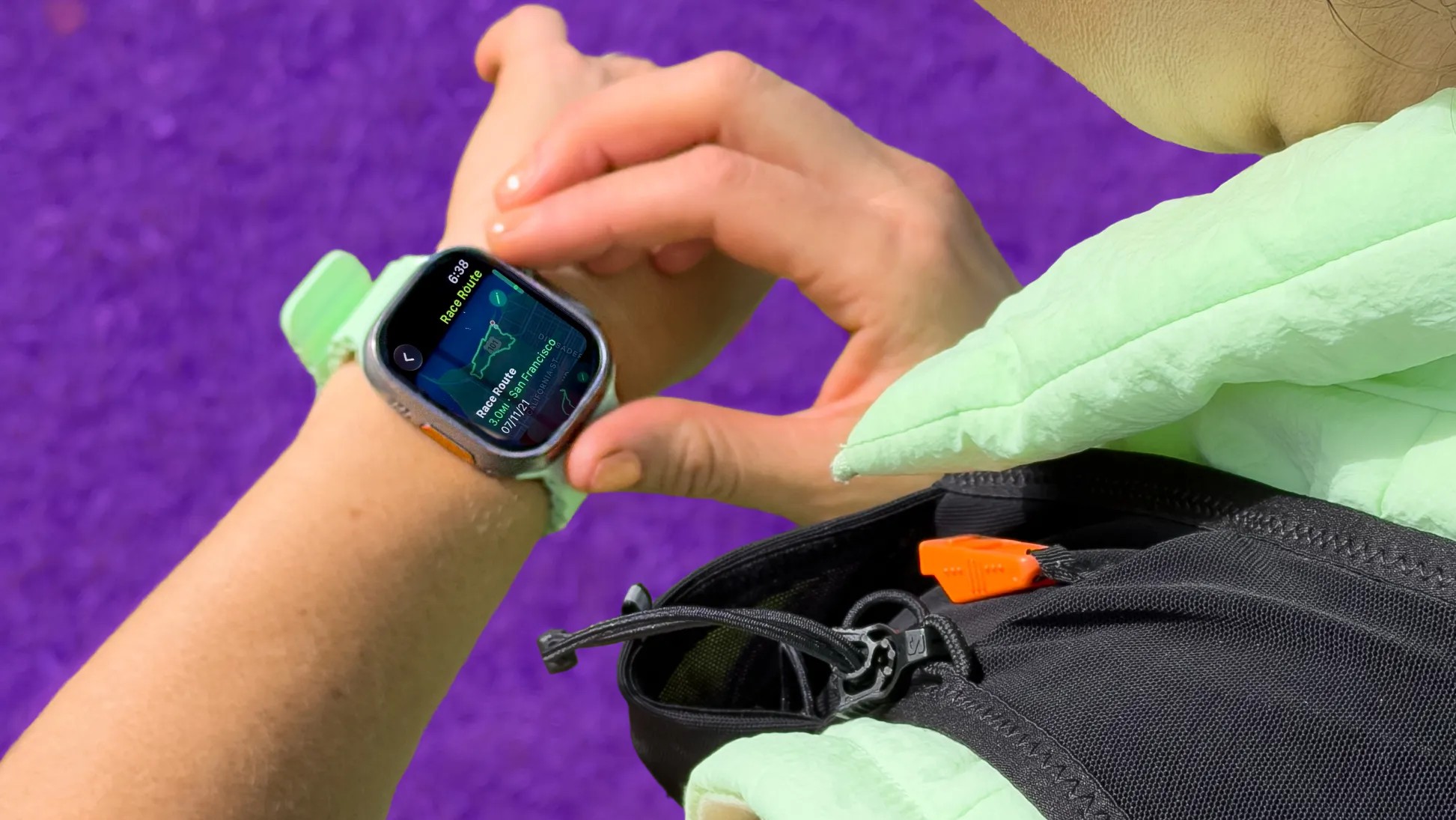
Race Route lets you compete against your own history on these same paths. Open the Running workout. Tap the timer. Find Race Route. Pick a saved route. Choose whether to race your personal record or your last run.
I am recovering from an injury. Chasing a previous best feels more achievable than chasing a stranger on the street. It gamifies the mundane.
“If you always run the same neighborhood loop, you might be able to use that familiarity to your advantage.”
Extra Apple Watch Ultra Features for Speed
The standard Apple Watch is great. The Apple Watch Ultra 2 (or the upcoming Ultra 3) adds tools for those who hate friction.
Precision Start eliminates the three-second countdown. That countdown gives the GPS time to lock on. But in a race, you want to move now.
Go to Settings on your watch. Scroll to Workout. Turn on Precision Start. The timer begins immediately. The compass icon in the top left will turn blue once GPS is locked. You run first. The data follows.
Action Button Shortcut
The side button on the Ultra is customizable. Go to Settings > Action Button. Select Workout. Under First Press, choose Outdoor Run. One click starts your run. No digging through menus.
Quick Pause
Sweaty fingers hate small touch targets. The Ultra lets you press the digital crown and the side button simultaneously to pause. Press again to resume. It is instant.
AI Coaching Arrives in watchOS 26
The future is conversational. If you have an iPhone 15 Pro or newer paired with a compatible watch, you will get Workout Buddy.
It is an AI voice companion. It uses your history, pace, and heart rate to give specific encouragement. No generic “Great job!” messages.
Instead, it says: “This is your fastest mile yet.” Or: “You have run 40 miles this month.” It knows your data.
watchOS 26 brings this feature to English speakers first. Spanish support is expected in watchOS 27 later this year.
What Works for You?
Not every feature is necessary. The Pacer tool helps racers. Custom workouts help interval trainees. The Ultra shortcuts help those who hate fiddling with screens.
Which one will you try first?
The San Francisco Marathon is this weekend. Whether you are running it or just jogging around the block, your watch can do more than track distance. It can coach.
Unless you prefer the silence of your own thoughts. Which is valid. But the features are there.